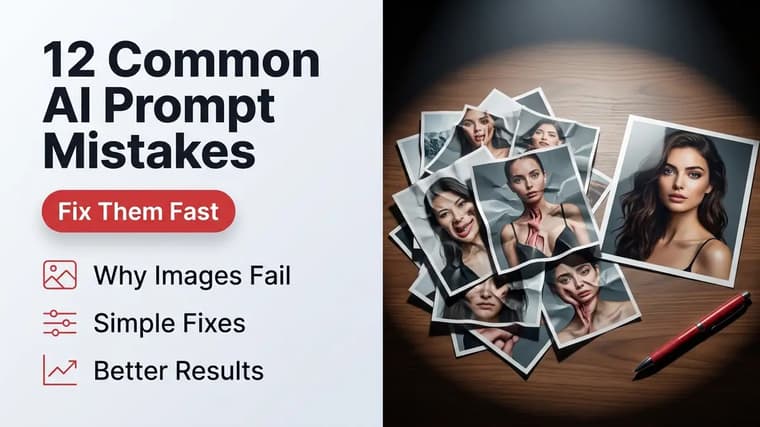
When an AI image comes out wrong, the instinct is to blame the model. In practice, most bad results trace back to a handful of prompt-writing habits that are easy to spot once you know them. Here are the twelve mistakes we see most often in submissions and support questions, each with the fix and a quick before/after.
Mistakes of Vagueness
❖1. Generic Subjects
"A dog in a park" gives the model hundreds of breeds, ages, and park types to choose from, and it will pick the blandest average of all of them. The fix is to make every noun one step more specific than feels necessary.
Before: "a dog in a park"
After: "an elderly golden retriever lying in dappled shade under an oak tree in an autumn city park"
❖2. No Lighting Description
Lighting is the difference between a snapshot and a photograph, and models treat it as a first-class instruction. Leave it out and you get flat, evenly lit, catalogue-style images. Always spend a phrase on light: its direction, quality, and warmth.
Before: "portrait of a fisherman"
After: "portrait of a weathered fisherman, low golden-hour sun from the left, warm rim light on his face"
❖3. Missing Style Anchor
If you never say whether you want a photo, a painting, or an illustration, the model guesses — and its guess drifts between generations, so nothing you make feels related. End every prompt with an explicit style phrase: "documentary photograph", "flat vector illustration", "soft watercolor".
Before: "a lighthouse on a cliff"
After: "a lighthouse on a rocky cliff at dusk, moody documentary photograph, muted color palette"
❖4. Vague Mood Words Doing All the Work
"Beautiful", "epic", "stunning", and "amazing" tell the model almost nothing because they describe your reaction, not the image. Replace each mood word with the concrete detail that would cause that reaction.
Before: "an epic mountain landscape, stunning, beautiful"
After: "a jagged mountain ridge above a sea of clouds at sunrise, long shadows, a single climber for scale"
Mistakes of Excess
❖5. Style Soup
Stacking styles — "photorealistic, oil painting, anime, cinematic, 4k render" — forces the model to average incompatible looks, and the average is mud. Pick one primary style. If you want a hybrid, name a coherent one ("gouache illustration with photographic lighting") rather than listing five.
Before: "a fox, photorealistic, watercolor, anime style, cinematic, hyperdetailed"
After: "a red fox in fresh snow, natural-light wildlife photograph, shallow depth of field"
❖6. Contradictory Instructions
"Minimalist scene with lots of intricate detail" or "candid photo, perfectly posed" reads fine to a human who fills in the intent, but the model tries to satisfy both halves and satisfies neither. Reread your prompt for pairs of words that pull in opposite directions and cut one side.
Before: "a minimalist cluttered desk, empty but full of objects"
After: "a minimalist desk with a single notebook, pen, and coffee cup, everything else bare"
❖7. Too Many Subjects
Every extra subject splits the model's attention and multiplies the chance of merged limbs, duplicated faces, and floating objects. One clear subject almost always beats three competing ones. If you genuinely need a group, describe it as a group ("a crowd of commuters") rather than as five separate individuals.
Before: "a knight, a dragon, a wizard, and a princess in a castle courtyard"
After: "a knight facing a dragon in a castle courtyard, seen from behind the knight"
Two-character scenes
Wanting two named characters interacting is the single hardest thing to prompt in one shot. If both matter, generate them separately or use an editing workflow — see the Gemini photo editing guide for a practical approach.
Mistakes of Structure
❖8. Burying the Subject at the End
Models weight the opening of a prompt most heavily. If your subject arrives after three lines of atmosphere, the atmosphere wins and the subject shrinks or distorts. Lead with the subject, then layer context behind it.
Before: "in a neon-soaked rainy alley at midnight, with steam rising from vents and reflections everywhere, a street musician"
After: "a street musician playing saxophone in a neon-soaked rainy alley at midnight, steam rising from vents"
❖9. Writing Instructions Instead of Descriptions
"Make sure the hands look correct" and "don't mess up the face" are instructions about the process, and most models simply see the nouns — "hands", "face" — and give them extra, often unwanted, attention. Describe the outcome you want instead: "hands resting calmly on the table, fingers relaxed".
Before: "a pianist, please make the hands accurate and not deformed"
After: "a pianist mid-performance, hands spread naturally across the keys, photographed from above"
❖10. Relying on Text Inside the Image
Asking for long or precise text — signs, book pages, detailed labels — still produces garbled lettering in most tools. Keep in-image text to a few short words, put it in quotes, and say where it goes. For anything longer, generate the image clean and add text in an editor.
Before: "a cafe chalkboard listing today's full menu with prices"
After: "a cafe chalkboard with the words 'FRESH COFFEE' in hand-drawn lettering, out-of-focus pastries behind"
Mistakes of Process
❖11. Regenerating Instead of Iterating
Hitting regenerate on the same prompt and hoping is a slot machine. When a result is 80 percent right, change one thing — the lighting phrase, the angle, one adjective — and run it again. You learn what each phrase does, and you converge instead of gambling. This is the core loop described in how to write better AI image prompts.
❖12. Copying Prompts Without Adapting Them
A prompt written for Midjourney's parameter syntax pasted raw into ChatGPT (or vice versa) drags dead weight into the generation. Strip tool-specific flags, then swap the subject and setting for your own while keeping the structure — subject, action, environment, lighting, style. Every prompt on the explore page is structured so the swappable parts are easy to spot.
A street musician playing saxophone in a rainy neon-lit alley at midnight, warm light from a noodle shop sign reflecting in puddles, steam rising from a vent behind him, shallow depth of field, moody cinematic photograph, 35mm lens
20-second prompt audit
Before you send any prompt, run a 20-second audit: specific subject first, one lighting phrase, one style anchor, no contradictions, no filler adjectives. Those five checks catch nine of the twelve mistakes on this list.
Frequently Asked Questions
❖What is the single most common prompt mistake?
Vague subjects. "A woman", "a landscape", and "a futuristic city" leave every important decision to the model. Adding age, clothing, era, weather, or materials fixes more bad generations than any other change.
❖Is a longer prompt always better?
No. Length only helps when every phrase carries information. A focused 30-word prompt beats a rambling 100-word one full of mood words and repetition. Cut anything that doesn't change the picture.
❖Why do my images all look the same even with different prompts?
You're probably omitting a style anchor and lighting, so the model falls back to its default look every time. Vary those two elements and the range of your results widens immediately.
❖Should I fix a bad image by editing the prompt or regenerating?
Edit the prompt. Change exactly one element per attempt so you can tell what caused the improvement. Blind regeneration occasionally gets lucky but teaches you nothing for the next prompt.