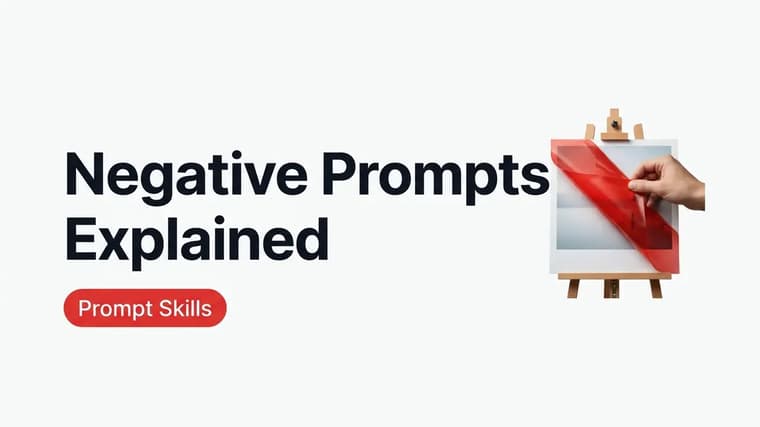
Most prompt advice is about what to put in. Negative prompting is the other half: telling the model what to keep out — watermarks, extra fingers, blur, clutter. Used well, it quietly cleans up recurring flaws; used carelessly, it can make images worse than saying nothing at all. Here's how it actually works and where the line is.
What a Negative Prompt Is
A negative prompt is a list of things the model should steer away from while generating. In tools with a dedicated negative field or parameter, the exclusion list is processed separately from your main prompt: instead of pulling the image toward those concepts, the model actively pushes away from them at every step of generation. That mechanical push is why a true negative prompt behaves differently from just writing "no watermark" in the middle of a normal sentence.
The key mental model: a negative prompt doesn't delete things from a finished image. It biases the entire generation away from regions of the model's learned space. Putting "cartoon" in the negatives doesn't erase a cartoon character — it nudges every texture, line, and color choice toward the non-cartoon end of the spectrum.
Explicit Negatives vs. Natural-Language Exclusions
Tools split into two camps, and mixing up which camp you're in is the most common negative-prompting mistake.
❖Tools With Explicit Negative Support
Midjourney supports explicit exclusion through its "--no" parameter — "--no text, watermark" pushes generations away from those concepts. Many Stable Diffusion-based interfaces go further with a full negative prompt field where a comma-separated exclusion list is standard practice. In these tools, negatives are a separate channel: the words in the negative list are never interpreted as things to include.
❖Tools That Take Natural-Language Exclusions
ChatGPT and Gemini have no negative prompt field. They generate images through a language model that reads your prompt like a human editor would, which means they genuinely understand sentences like "no text or watermarks anywhere in the image" or "the street is completely empty — no people, no cars". Phrase exclusions as clear, natural instructions and these tools follow them surprisingly well. You'll see this style throughout the ChatGPT prompts on the site.
There's a subtlety, though. Even in conversational tools, mentioning a concept gives it attention. "Absolutely no clowns" plants the idea of clowns, and occasionally one shows up anyway — the model heard the noun louder than the negation. The safer pattern is to describe the positive alternative: instead of "no people in the background", write "an empty, deserted street". Positive phrasing states what you want without ever naming what you don't.
Say what you want first
Order of preference in conversational tools: first describe the desired state positively ("a clean, unbranded product shot on seamless white"), and only add an explicit "no..." sentence for stubborn recurring artifacts. Reserve the negation for things you can't phrase positively.
The Negatives Worth Using
A short, targeted exclusion list solves real recurring problems. These earn their place:
- Anatomy fixes: "extra fingers", "deformed hands", "distorted face" — hands remain the classic failure point, and models that support negatives respond well to these
- Unwanted overlays: "watermark", "text", "signature", "logo" — models trained on stock photos sometimes reproduce watermark-like smudges, and this is the single most useful negative in existence
- Quality issues: "blurry", "low resolution", "jpeg artifacts", "grainy" — mild positive pressure toward sharpness
- Style leaks: "cartoon" when you want photorealism, "photo" when you want illustration — useful when a style keeps bleeding in
- Composition clutter: "cropped", "out of frame", "duplicate" — for subjects that keep getting cut off or doubled
A product photograph of a matte black ceramic coffee mug on a light oak table, soft diffused window light from the right, minimal styling, shallow depth of field, shot on a 50mm lens. Clean composition with plain background — no text, no watermark, no logos, no extra objects on the table.
That prompt works as-is in ChatGPT or Gemini; for Midjourney you'd move the exclusions into "--no text, watermark, logo" instead.
When Negatives Hurt
Negative prompting has a real failure zone, and it's bigger than most guides admit.
❖The Kitchen-Sink Negative List
Copy-pasted 40-term negative lists ("ugly, deformed, bad anatomy, poorly drawn, mutation, extra limbs...") are cargo culting. Every negative term constrains the model's options, and a huge list squeezes generations into a narrow, oddly samey aesthetic — smooth, airbrushed, and generic. If you can't say what problem a negative term is solving, remove it.
❖Negating Things That Weren't Coming Anyway
Adding "no dragons" to a prompt about a coffee mug doesn't make the mug safer; at best it does nothing, at worst it introduces dragon-adjacent noise. Negatives should respond to artifacts you have actually seen in your outputs, not hypothetical ones.
❖Contradicting Your Positive Prompt
Asking for "an oil painting" while negating "brushstrokes" or requesting "cozy candlelit room" while negating "shadows" pulls the generation in two directions and produces mushy, indecisive images. Audit your negative list against your main prompt for direct conflicts.
❖Over-Negating in Conversational Tools
In ChatGPT or Gemini, a paragraph of "don't do this, don't do that" reads like a list of nouns to a distracted listener. Two or three clear exclusions phrased as sentences work; ten bullet-pointed prohibitions often backfire by flooding the prompt with exactly the concepts you fear.
Rewrite the scene
If a specific unwanted element keeps appearing despite your negatives, stop fighting it with longer exclusion lists. Rewrite the positive prompt so the element has no room to exist — change the setting, the framing, or the style — or fix the one bad output with an editing pass instead of regenerating. The PromptMatrix usage guide covers adapting prompts this way.
A Simple Workflow
Start with a purely positive prompt built on solid fundamentals — see the anatomy of a perfect AI image prompt if that structure isn't second nature yet. Generate. Look at what's actually wrong. Add the one or two negatives (or exclusion sentences) that target those specific flaws. Generate again. That feedback loop keeps your exclusion list short, evidence-based, and effective — which is exactly what separates negative prompting from superstition.
Frequently Asked Questions
❖Do ChatGPT and Gemini support negative prompts?
Not as a separate field. Both accept natural-language exclusions inside the prompt itself — "no text, no watermark, empty background" — and follow them well because a language model interprets the instruction, not a raw keyword matcher.
❖Why did the thing I excluded show up anyway?
Mentioning a concept gives it weight even inside a negation, so occasionally the noun wins over the "no". Rephrase positively — "a deserted street" instead of "no people" — and the problem usually disappears.
❖What are the most useful negative terms?
"Watermark" and "text" top the list, followed by anatomy fixes like "extra fingers" and quality terms like "blurry". Beyond five or six targeted terms, returns diminish fast.
❖Should I always include a negative prompt?
No. If your outputs look right, negatives add constraint without benefit. Add them only in response to flaws you've actually observed, and remove any term you can't justify.