 Gemini
 ChatGPT
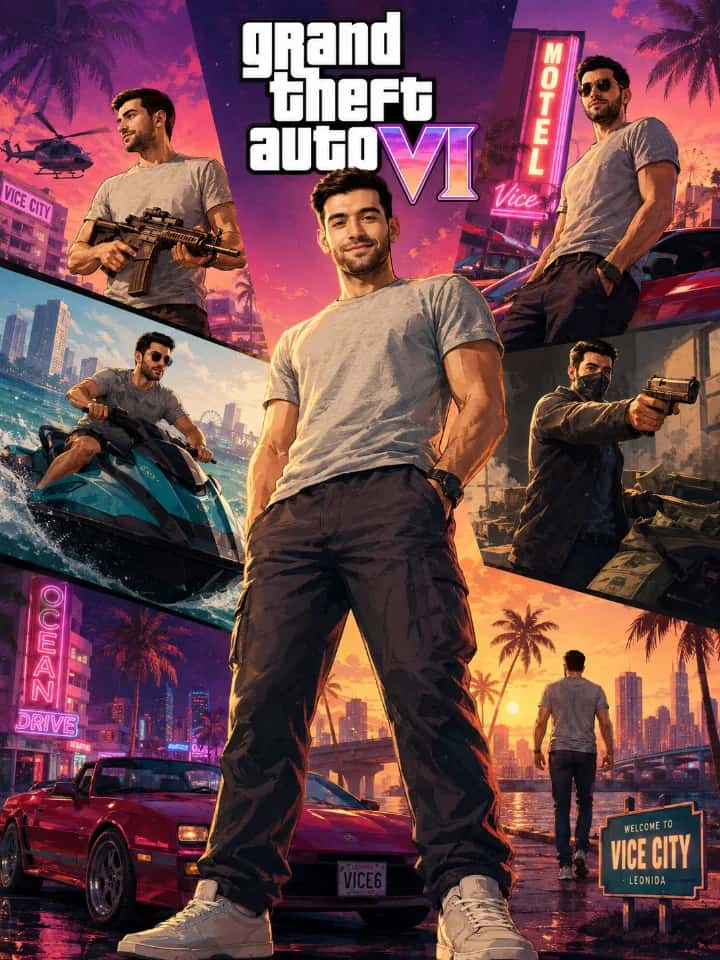
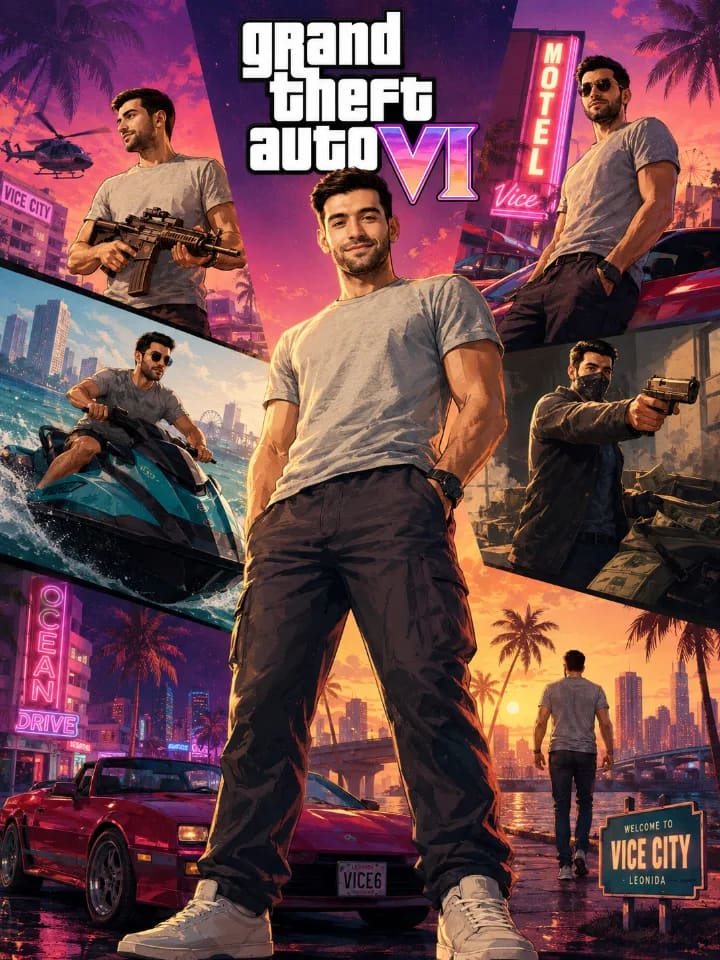
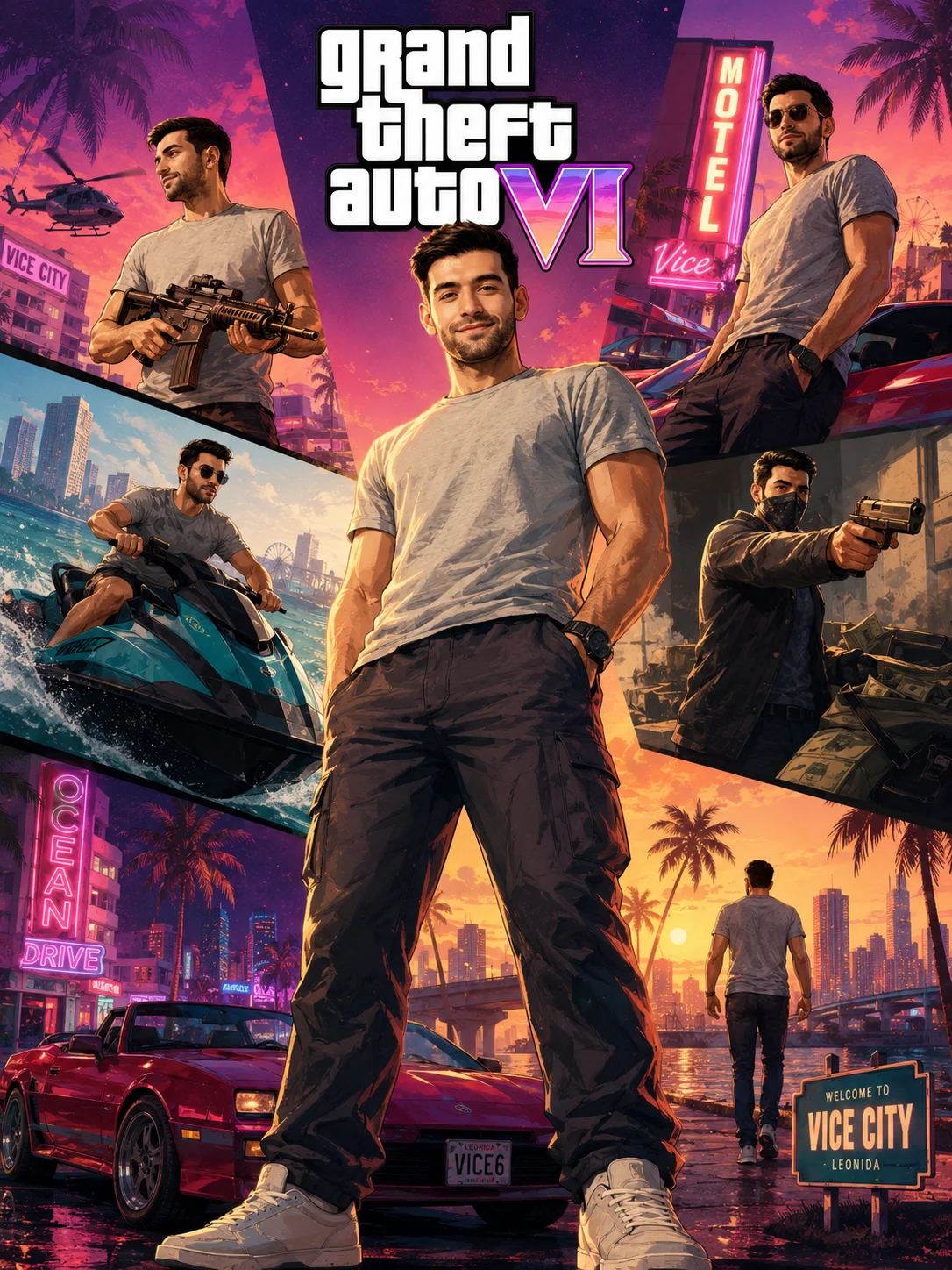
GTA VI Style Character Poster AI Prompt
GTA VI-style cinematic character Collage Image Prompt
AI PromptMatrix Editorial Team
Published on May 8, 2026
Prompt Gallery (1)
 Gemini
Prompt
Share
Quick workflow
How to use these prompts
Copy, customize, and generate. Keep the original prompt structure intact, then adjust only the details you want to change.
Open Gemini or ChatGPT
Use the tool or model listed with this prompt. If multiple tools are shown, choose the one you prefer.
Copy the prompt
Use the copy button on any prompt card, or copy the entire collection above.
Upload reference image
Attach your reference image first when the prompt is image-guided.
Customize details
Replace placeholders, names, colors, aspect ratio, or style notes as needed.
Paste and generate
Paste the prompt with the image, generate the artwork, then refine in small steps.
Related Prompts
Keep exploring
Browse more prompt pages with examples, model notes, and copy-ready creative workflows.
Guide
Detailed Insights
Crafting Iconic Characters: Your GTA VI Style Poster AI Prompt
Ever wanted to create a character that looks like they just stepped out of the latest Grand Theft Auto reveal? That unmistakable blend of gritty realism, vibrant urban energy, and larger-than-life personality is a signature of the series' character posters. With the right approach, you can generate stunning, game-ready character art using AI.
This prompt isn't just about making a cool image; it's about capturing a specific vibe – a confident, slightly edgy, visually striking poster. Let's break down how to get the most out of it across GPT Image 2, Nano Banana 2, Nano Banana Pro, Grok Imagine, and Qwen-Image.
❖The Essence of GTA Poster Style
Before diving into the prompt, let's nail down what makes these posters so iconic. It's a combination of:
- Bold Character Focus: The individual is always the star, often in a dynamic, confident pose.
- Vibrant, Saturated Colors: Think neon lights, deep shadows, and high contrast that pops.
- Gritty Urban Aesthetics: Even if the background is subtle, it hints at a bustling, sometimes dangerous, city environment.
- Distinctive Lighting: Often dramatic, with strong shadows and bright highlights, sometimes rim lighting to make the character stand out.
- Stylized Realism: It's realistic enough to be believable but with an artistic flair, often leaning into digital painting or graphic novel influences.
❖Your Starting Point: The Core Prompt
Here’s the base prompt to get you going. Remember, the magic happens when you customize it.
GTA VI Style Character Poster
A highly detailed, professional character poster of a [character description - e.g., young Latina woman with bright pink hair, wearing a retro neon jacket and sunglasses], in the style of GTA VI promotional art. She is [pose/action - e.g., confidently striding forward, looking directly at the viewer with a defiant expression]. The background features [simple background elements - e.g., a blurred, neon-lit Miami-style cityscape at dusk]. Dramatic, high-contrast lighting, vibrant saturated colors, digital painting.
❖Customizing for Impact: Practical Art Direction
The beauty of this prompt lies in its flexibility. Each bracketed section is an opportunity to inject your specific vision.
1. Define Your Character's Identity
This is your canvas. Be specific. Instead of "man," try:
- "A grizzled biker with a full beard and leather vest, scarred face"
- "A sleek, stylish hacker with glowing cybernetic implants, wearing a tactical suit"
- "An elderly woman with a mischievous grin, wearing a floral dress and holding a baseball bat"
Think about age, ethnicity, style, and any distinguishing features. The more detail you provide, the better the AI can build a unique individual.
Character accessories matter
Small details like "a gold chain", "oversized hoop earrings", "a vintage sports watch", or "a futuristic handgun" can significantly enhance the character's persona and visual interest.
2. Master the Pose and Expression
A dynamic pose is key to that GTA energy. Avoid static descriptions.
- Instead of "standing," try: "leaning casually against a graffiti-covered wall", "mid-stride with intense focus", "holding a weapon at rest, looking over her shoulder", "with an arrogant smirk, arms crossed".
- Expressions are crucial: "determined gaze", "sarcastic smile", "intense focus", "weary but resolute".
3. Craft an Evocative Background
For a character poster, the background shouldn't distract but should support the character's world. Keep it simple but descriptive.
- "A blurred downtown street scene with passing cars"
- "Neon signs reflecting on wet asphalt"
- "A sun-drenched beach boardwalk with palm trees"
- "Gritty industrial district at night"
Remember to specify "blurred" or "out of focus" if you want the character to truly pop against a hint of scenery.
4. Fine-Tune Lighting and Color
This is where the "VI Style" really shines.
- Lighting: "Dramatic rim lighting", "harsh overhead lights", "soft ambient glow from distant streetlights", "dusk lighting with deep shadows and orange highlights".
- Color Palette: Reinforce "vibrant saturated colors," but you can also add specifics like "with dominant purples and pinks", "a warm golden hour palette", or "cool blues and greens against fiery orange accents".
Experiment with Angles
Try adding camera angles for more cinematic flair: "low angle shot looking up at the character", "close-up, eye-level perspective", "dutch angle for a sense of unease". These small additions can dramatically alter the feel of your poster.
❖Model Interpretations and Nuances
While the core prompt works across all supported models, you might notice subtle differences:
GPT Image 2
Often excels at detail and realistic textures, producing sharp, high-fidelity images. Pay close attention to character descriptions and lighting for maximum effect.
Nano Banana 2 & Nano Banana Pro
These models can be very strong with vibrant colors and dynamic compositions. They might interpret "stylized realism" with a slightly more painterly or graphic touch. Great for pushing the "poster" aesthetic.
Grok Imagine
Known for its creative interpretation, Grok Imagine can sometimes surprise you with unique takes on the GTA aesthetic, especially in how it handles atmosphere and dramatic flair.
Qwen-Image
Qwen-Image often delivers consistent, clean results. If you're looking for a solid base image that adheres closely to your description, it's a strong choice.
❖Troubleshooting Your Generations
- Character looks too generic? Add more unique descriptors: clothing details, specific accessories, scars, tattoos, hair color, eye color, and unique expressions.
- Missing the "poster" feel? Re-emphasize "professional character poster", "promotional art style", "cinematic composition". Ensure your pose is dynamic and confident.
- Colors aren't vibrant enough? Add "ultra vibrant colors", "hyper-saturated", "neon glow", "high contrast".
- Background is too busy? Explicitly state "blurred background", "subtle background details", "shallow depth of field".
❖Ready to Create Your Own Icon?
This prompt provides a robust foundation for generating incredible GTA VI style character posters. Don't be afraid to experiment, swap out descriptions, and iterate. Each modification refines your vision, bringing you closer to that perfect, iconic image. Dive in, get creative, and share your most striking characters!
FAQ
Frequently Asked Questions
What are the key elements to include in the prompt to truly capture that GTA VI poster style?
To really hit the GTA VI poster look, focus on strong character design with a confident, slightly rebellious attitude. Think dynamic action poses, intense or dramatic lighting (often with neon accents), and a vibrant color palette that still feels gritty. Mentioning specific clothing styles like streetwear, leather jackets, or tactical gear, alongside urban backdrops or classic vehicles, helps too. Don't forget descriptive terms for the camera angle, like "low angle shot" or "cinematic poster style" to enhance the overall composition.
Does this prompt work equally well across different image generators like GPT Image 2 and Nano Banana Pro?
This prompt is designed to be versatile, but you might see subtle differences. GPT Image 2 is generally excellent at character consistency and nailing specific stylistic details you describe. Nano Banana Pro often shines with detailed, atmospheric backgrounds and complex lighting that enhance the "poster" feel. Grok Imagine can produce powerful, high-contrast images, while Qwen-Image is great for vibrant colors and expressive characters. Experiment across GPT Image 2, Nano Banana Pro, Grok Imagine, and Qwen-Image to see which gives you the exact vibe you're after.
How can I customize the male or female characters to ensure they fit the GTA aesthetic, beyond just their gender?
Beyond just specifying "male" or "female," get really specific with their characteristics. For males, think rugged, stylish, or menacing – describe their build, tattoos, specific hairstyles (e.g., slicked back, braids), and clothing like designer suits, vests, or bandanas. For females, consider strong, assertive looks – focus on unique hairstyles, bold makeup, fitted outfits like leather skirts, crop tops, or tracksuits, and specific accessories like gold chains or chunky sunglasses. Emphasize their confident stance and attitude to match the GTA world.