
 ChatGPT
Spiderman Cosplay Ai Prompt
ChatGPT prompt for realistic Spider-Man casual outfit with high-angle cinematic style
AI PromptMatrix Editorial Team
Published on May 5, 2026
Prompt Gallery (2)
 ChatGPT
Prompt
 ChatGPT
Prompt
Share
Copy Entire Collection
Grab all 2 creative prompts instantly to use in your favorite AI generator.
Quick workflow
How to use these prompts
Copy, customize, and generate. Keep the original prompt structure intact, then adjust only the details you want to change.
Open ChatGPT
Use the tool or model listed with this prompt. If multiple tools are shown, choose the one you prefer.
Copy the prompt
Use the copy button on any prompt card, or copy the entire collection above.
Upload reference image
Attach your reference image first when the prompt is image-guided.
Customize details
Replace placeholders, names, colors, aspect ratio, or style notes as needed.
Paste and generate
Paste the prompt with the image, generate the artwork, then refine in small steps.
Related Prompts



Keep exploring
Browse more prompt pages with examples, model notes, and copy-ready creative workflows.
Guide
Detailed Insights
About This Image
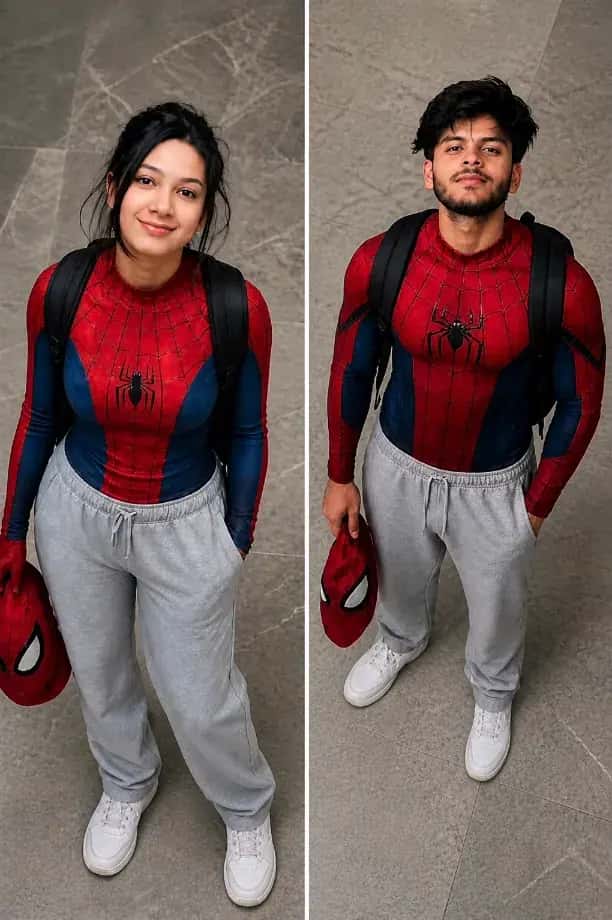
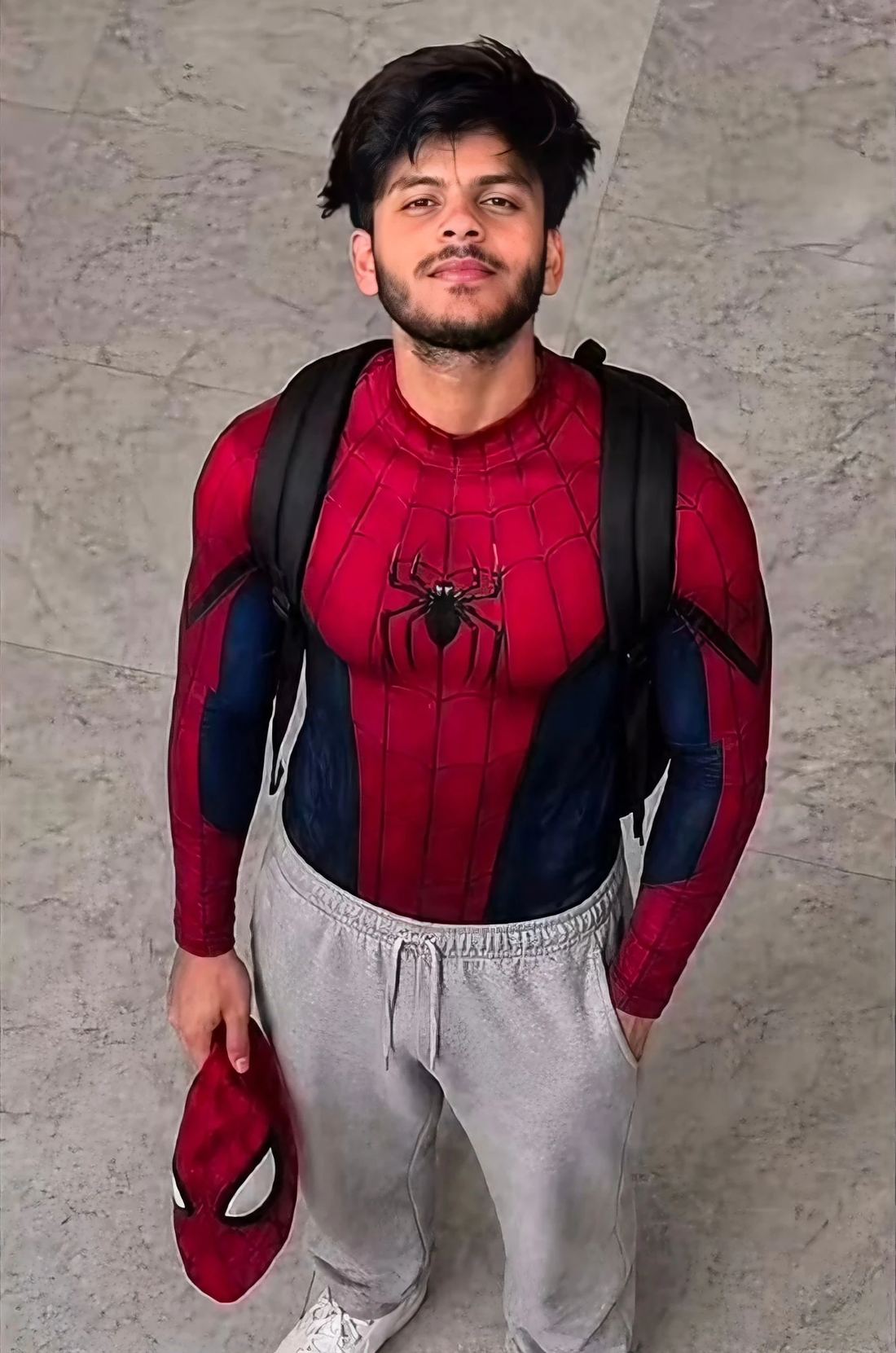
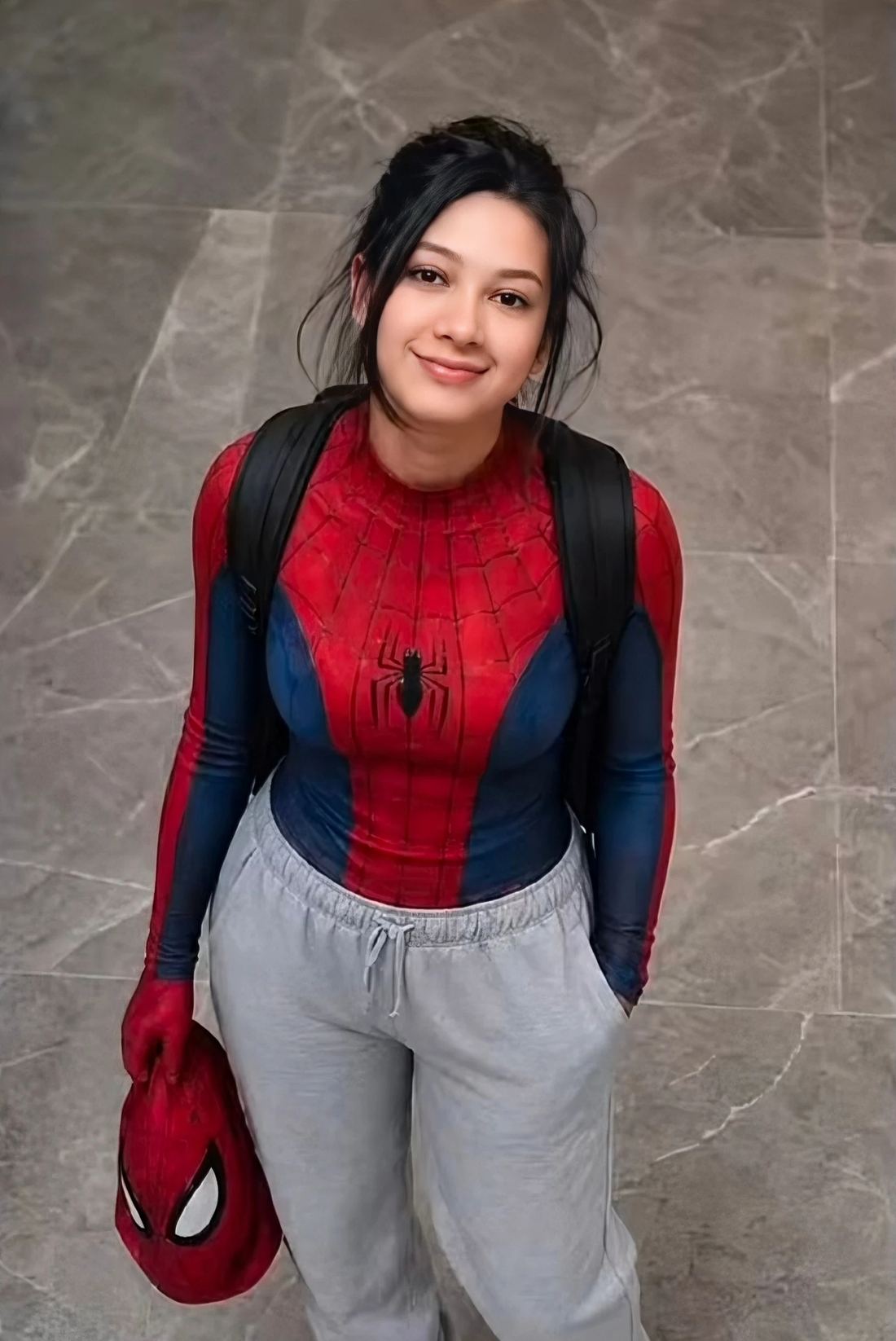
This image presents a highly realistic and modern interpretation of a Spider-Man-inspired character in a casual everyday environment. Instead of the traditional full superhero suit, the subject is styled in a creative hybrid look — wearing the iconic red and blue Spider-Man bodysuit only on the upper body, while pairing it with relaxed grey sweatpants and clean white shoes. This combination creates a grounded and relatable aesthetic that feels like a real-life version of a superhero in a normal day-to-day setting.
The overall concept reflects a “Peter Parker after school” vibe, where the character exists between two worlds — superhero identity and regular life. This duality makes the image more engaging and unique, as it blends fantasy elements with realistic styling. It gives the viewer a sense of familiarity while still maintaining the excitement of a superhero theme.
The subject is captured from a high-angle perspective, looking upward toward the camera. This angle plays a crucial role in making the composition more dynamic. It adds depth, creates a stronger connection with the viewer, and gives a slightly cinematic feel. The perspective also emphasizes posture and facial expression, making the subject appear more natural and expressive.
The indoor marble floor background is intentionally simple and clean. It removes distractions and allows the viewer to focus entirely on the subject. At the same time, it maintains realism by placing the character in a believable indoor environment rather than a stylized or fantasy background.
Lighting in this image is soft and natural, which enhances realism significantly. It gently highlights the facial features, skin texture, and clothing details without creating harsh shadows or overexposure. This type of lighting is essential for achieving a lifelike and high-quality result, especially in realistic AI-generated visuals.
Another important detail is the inclusion of accessories like the backpack and the Spider-Man mask held in hand. These elements add storytelling to the image. The backpack suggests everyday life, while the mask reinforces the superhero identity, creating a strong visual contrast between ordinary and extraordinary.
Prompt Details
- High-angle composition adds depth and visual interest
- Combination of casual wear and superhero costume creates a unique concept
- Soft lighting improves realism and enhances textures
- Clean background keeps the focus on the subject
- Natural pose and expression make the image feel authentic
Tips
- You can change outfit colors to create variations of different characters
- Try adding "cinematic lighting" for a more dramatic effect
- Use "ultra realistic skin texture" to enhance detail quality
- Experiment with different angles like low-angle or close-up portraits
- Add background variations such as street, classroom, or rooftop for new styles
FAQ
Frequently Asked Questions
What's the best way to make the Spiderman cosplay character look truly unique or more realistic in my images?
To personalize your Spiderman cosplay, add details like specific suit textures (e.g., 'worn fabric,' 'glossy spandex'), lighting conditions ('neon city glow,' 'daylight park'), or actions ('swinging through skyscrapers,' 'perched on a gargoyle'). Mentioning emotions or character traits also helps. Try these adjustments with GPT Image 2, Nano Banana Pro, Grok Imagine, or Qwen-Image.
Can I easily generate Spiderman cosplay images featuring different genders or ages, like a female Spiderman or a young boy?
Absolutely. Just clearly specify the gender ('a female Spiderman cosplayer,' 'a young boy dressed as Spiderman') or age range ('teenage Spiderman,' 'adult Spiderman') within your prompt. You can also describe their build or hair style to further differentiate. This works consistently across GPT Image 2, Nano Banana 2, Grok Imagine, and Qwen-Image.
How can I achieve that popular, 'trending' portrait style often seen for cosplay, using this prompt?
To get a trending portrait look, focus on modern photography terms. Try adding 'cinematic lighting,' 'bokeh background,' 'street photography style,' 'dynamic pose,' or 'vibrant colors' to your prompt. For close-up portraits, specify 'headshot,' 'shoulder-up,' or 'expressive eyes.' Experiment with these terms in GPT Image 2, Nano Banana Pro, Grok Imagine, or Qwen-Image to see what resonates with current trends.