
 ChatGPT
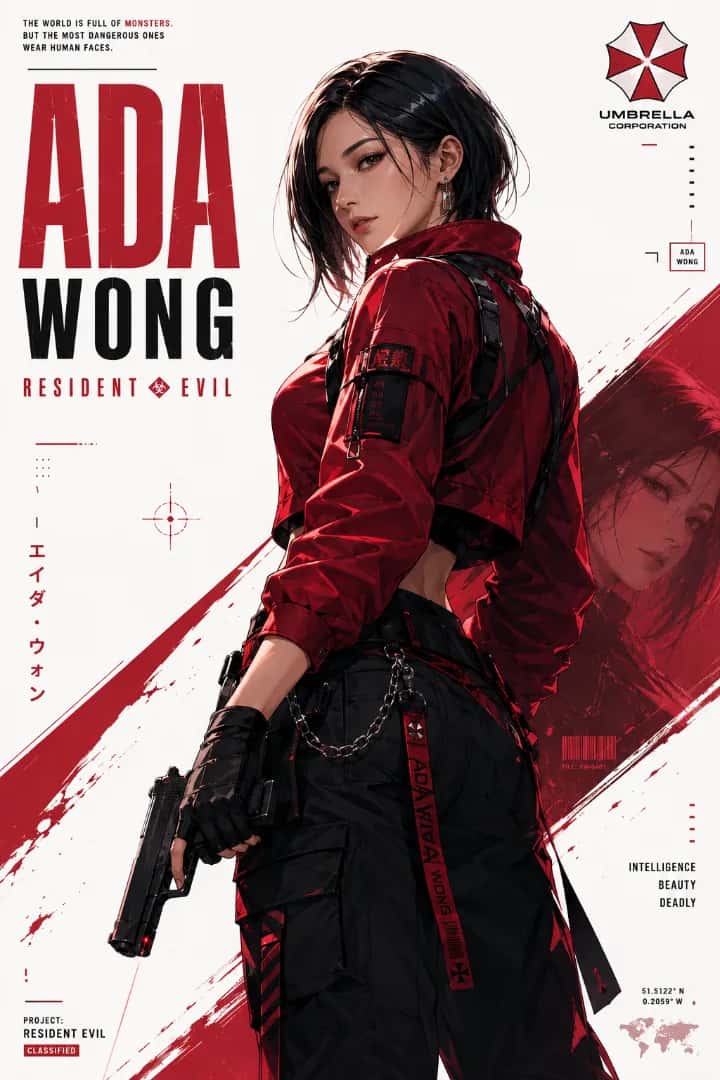
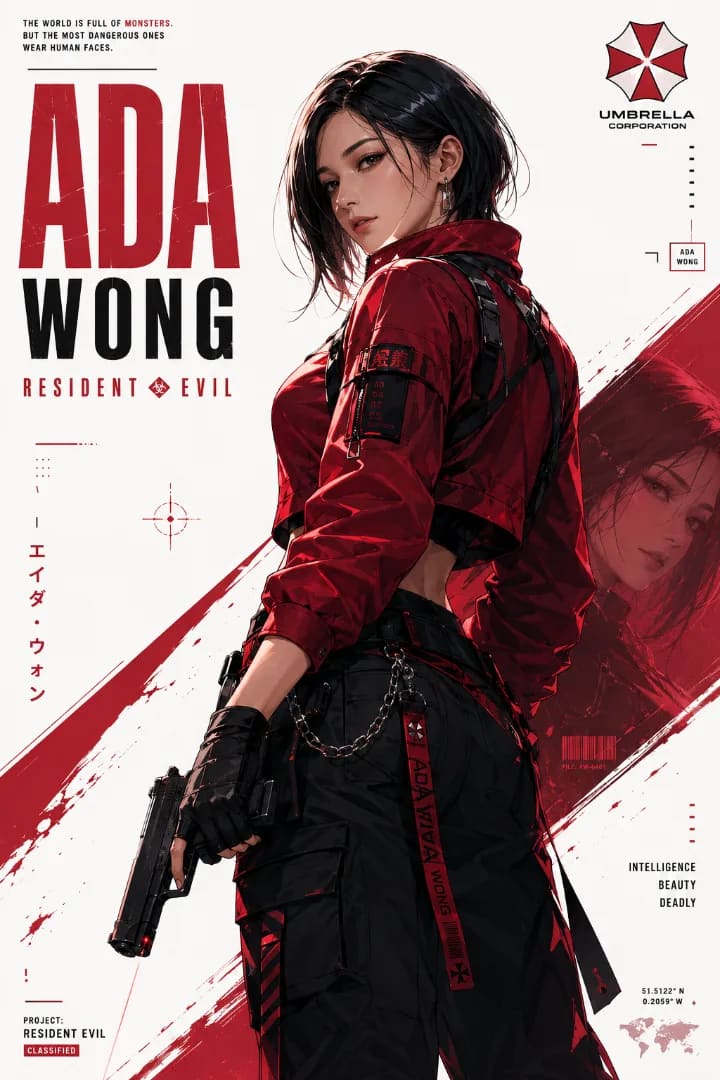
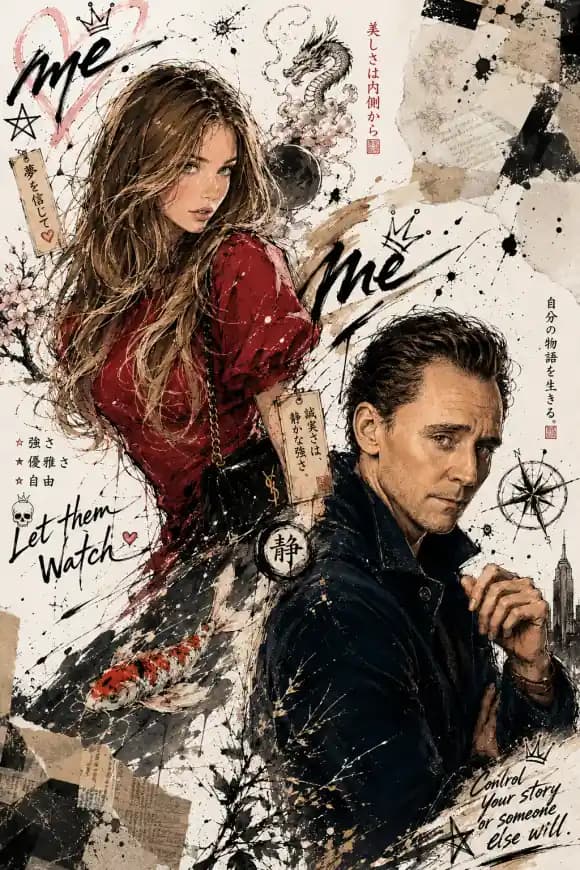
Ada Wong Resident Evil Character Poster
A bold anime-style character poster featuring Ada Wong in a modern techwear look, with dramatic red accents, clean typography, and a striking graphic composition.
AI PromptMatrix Editorial Team
Published on September 7, 2026
Prompt Gallery (1)
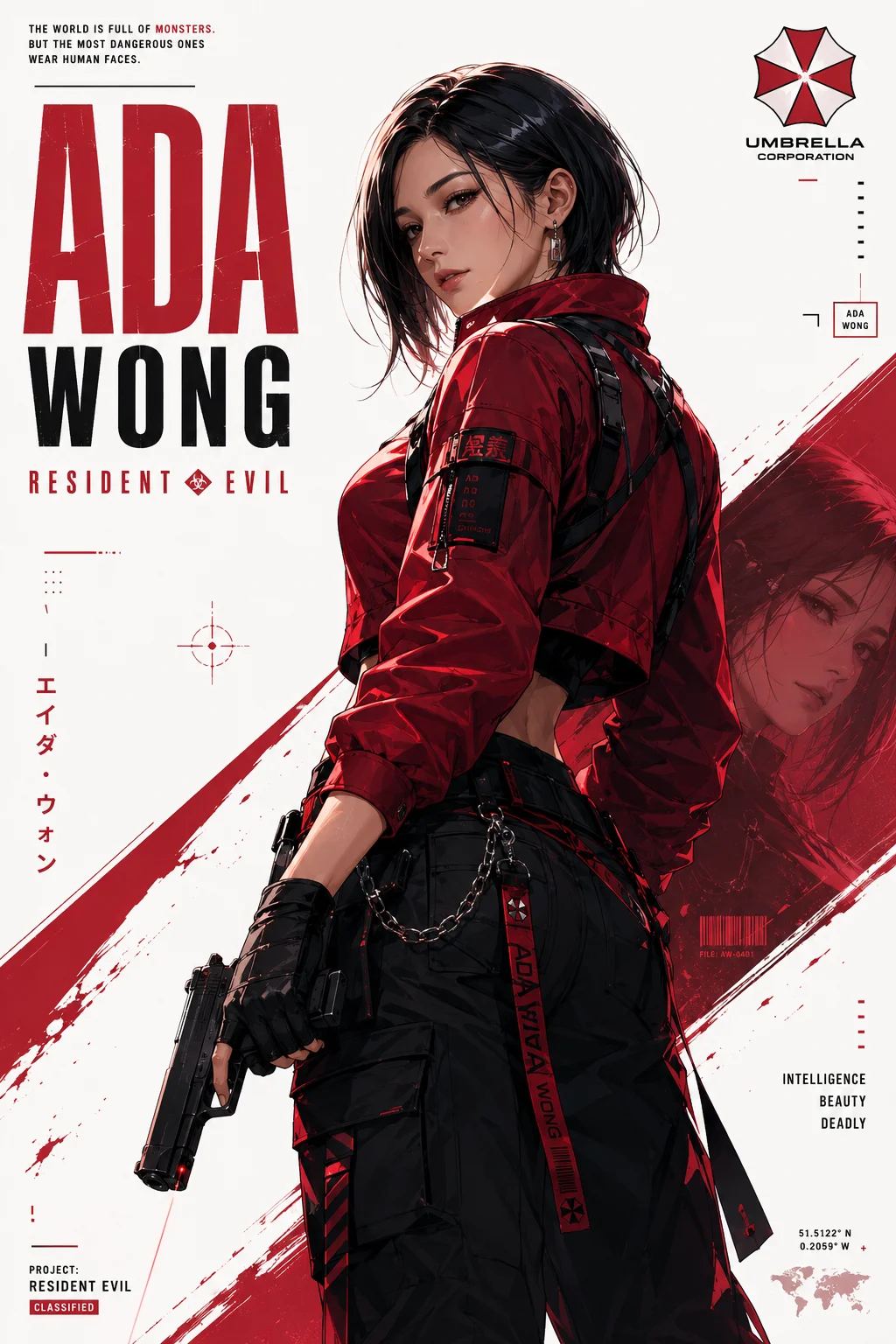 ChatGPT
Smart Template
Fill the placeholders you want to customize. The prompt below updates instantly, and Copy uses your filled version.
Share
Quick workflow
How to use these prompts
Copy, customize, and generate. Keep the original prompt structure intact, then adjust only the details you want to change.
Open ChatGPT
Use the tool or model listed with this prompt. If multiple tools are shown, choose the one you prefer.
Copy the prompt
Use the copy button on any prompt card, or copy the entire collection above.
Upload reference image
Attach your reference image first when the prompt is image-guided.
Customize details
Replace placeholders, names, colors, aspect ratio, or style notes as needed.
Paste and generate
Paste the prompt with the image, generate the artwork, then refine in small steps.
Related Prompts
Keep exploring
Browse more prompt pages with examples, model notes, and copy-ready creative workflows.
Guide
Detailed Insights
Creating an Iconic Ada Wong Character Poster
When you're aiming to capture a specific character in a striking, cinematic style, the right prompt makes all the difference. Our "Ada Wong Resident Evil Character Poster" prompt is designed to do just that, giving you a solid foundation for generating powerful, ready-for-print visuals. This isn't just about recreating a character; it's about art direction, mood, and visual storytelling.
❖The Art Direction: What Makes a Great Poster
Think about what makes a good character poster. It's usually a blend of strong visual identity, mood, and an immediate sense of the character's presence. For Ada Wong, this means elegance, danger, and a hint of mystery.
This prompt leans into several key artistic elements:
- Cinematic Lighting: We're not looking for flat, even light. Instead, we want dramatic shadows and highlights that sculpt the face and form, creating depth and tension. Chiaroscuro or low-key lighting works wonders here.
- Iconic Styling: Ada's red dress is non-negotiable. The prompt reinforces this to ensure the AI focuses on her signature look.
- Atmospheric Backgrounds: A busy background can distract. For a poster, a simple, atmospheric setting—like smoke, subtle textures, or a dark, blurred environment—keeps the focus squarely on Ada.
- Composition: A medium close-up or a dynamic ¾ shot helps convey personality and action. We want something that feels intentional, not just a snapshot.
❖Dissecting the Prompt
Here’s the core prompt that generates those stunning character posters:
The Ada Wong Poster Prompt
Ada Wong from Resident Evil, character poster, cinematic, dramatic lighting, low angle shot, medium close-up, red silk dress, black bob hair, mysterious expression, smoky background, highly detailed, photorealistic, elegant, dark atmosphere, film grain, subtle neon reflections.
Let's break down why each part is essential:
Ada Wong from Resident Evil, character poster: This sets the subject and the desired output format directly. The AI knows immediately what you’re aiming for.cinematic, dramatic lighting, low angle shot, medium close-up: These terms dictate the visual style and camera work. Cinematic and dramatic lighting are critical for the mood. A low angle shot can make the subject appear more imposing or powerful.red silk dress, black bob hair, mysterious expression: Specific character details ensure accuracy. The mysterious expression is key to Ada’s persona.smoky background, highly detailed, photorealistic, elegant, dark atmosphere, film grain, subtle neon reflections: These are the finishing touches. Smoky background adds atmosphere without clutter. Photorealistic pushes for realism, while film grain adds a touch of classic movie poster texture. The subtle neon reflections hint at urban mystery.
❖Practical Tips for Refinement
Getting the perfect image often involves a bit of tweaking. Here's how to guide the AI further:
Iteration is Your Friend
Start with the core prompt. If the first results aren't quite there, don't scrap it. Tweak a single element at a time.
Focus on one change
Instead of rewriting the whole prompt, try adjusting one element. For example, change low angle shot to eye-level shot or medium close-up to full body shot. Observe the impact before making another change.
Controlling the Vibe
Want more intensity? Add terms like intense gaze, shadows obscuring face, or ominous. For a touch more allure, try seductive pose or elegant stance.
Background Nuances
If "smoky" isn't hitting right, try:
blurred city lights backgroundrainy alley background, out of focusminimalist dark gray background
Aspect Ratios Matter
Consider the final use case. A vertical poster will benefit from an aspect ratio like 2:3 or 9:16. Most AI image tools let you specify this.
❖Model-Specific Considerations
Each AI model interprets prompts with its own biases and strengths. Knowing these can help you get closer to your vision faster.
For GPT Image 2 users
GPT Image 2 often excels at realism and accurately rendering specific character details. If Ada's outfit or features aren't quite right, try adding more specific descriptors like slim red silk cheongsam or dark crimson dress. You might also experiment with adding bokeh background for a softer, more professional look.
FAQ
Frequently Asked Questions
How can I make sure the AI accurately generates Ada Wong with her distinctive look?
To nail Ada's signature style, don't just say 'Ada Wong.' Add specific details like 'iconic red dress,' 'sleek black bob haircut,' 'spy aesthetic,' or 'holding a grappling gun.' The more descriptive you are about her key features and gear, the better tools like GPT Image 2 and Nano Banana Pro will capture her essence. You might need a few tries to get the perfect likeness across different models.
Can I change Ada's outfit or pose while still keeping her recognizable in a 'Resident Evil' context?
Absolutely. Start with the core 'Ada Wong' description and then layer in your desired changes. For a new outfit, try 'Ada Wong in a futuristic techwear suit' or 'Ada Wong wearing tactical gear.' To alter her pose, use action-oriented descriptions like 'Ada Wong mid-grapple,' 'Ada Wong in a dynamic combat stance,' or 'Ada Wong reloading a weapon.' Grok Imagine and Qwen-Image are quite responsive to detailed action prompts.
What's the best way to get that dramatic 'game poster' feel and integrate typography effectively?
For the poster aesthetic, include terms like 'cinematic game poster,' 'high-contrast lighting,' 'gritty realism,' or 'dramatic composition.' To integrate typography, you can try specifying text directly in your prompt, e.g., 'with the title "Resident Evil" in bold, distressed font.' However, AI image tools like GPT Image 2 or Nano Banana 2 are still perfecting text generation within images. For precise control over typography placement and font style, generating the image first and then adding text in an external editor often yields the best 'poster-ready' results.