Modern image tools give you two ways to say what you want: describe it in words, or show it a picture. Most people default to whichever they tried first and never question it — then wonder why their character's face keeps drifting or why an uploaded photo refuses to become the style they imagined. The truth is that references and text are good at different jobs, and knowing which job is which will save you dozens of wasted generations.
The Core Difference
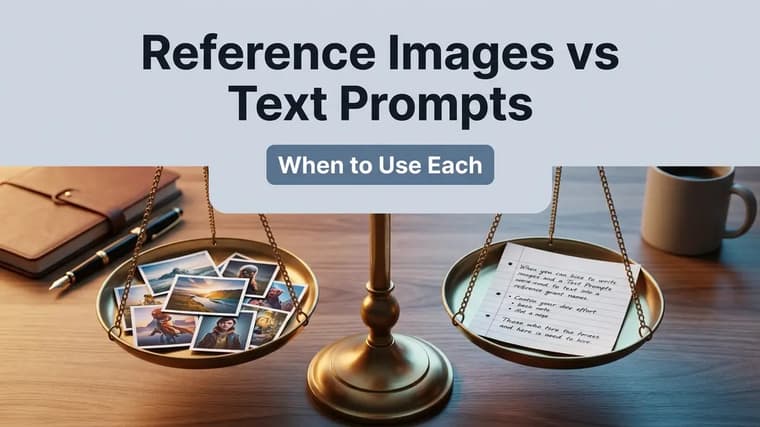
A text prompt describes; a reference image demonstrates. When you write "a woman with shoulder-length auburn hair and a small gap in her front teeth", the model interprets each phrase and assembles its own version — plausible, but never the same person twice. When you upload a photo of that woman, the model can look at the actual arrangement of her features instead of reconstructing them from adjectives.
The rule of thumb: use a reference for anything you cannot fully specify in words, and use text for anything you can imagine but cannot show.
When a Reference Image Beats Words
❖Identity and faces
Faces are the clearest case. A face is thousands of tiny proportions — eye spacing, jaw curve, nose bridge, the exact way someone smiles — and language simply doesn't have words for most of them. If you need the same person across multiple images, a reference photo outperforms any paragraph of description. This is the backbone of keeping consistent characters in AI images.
❖Pose and body position
Describing a pose in text gets clumsy fast: "left arm raised, elbow bent, weight on the back foot, head turned three-quarters..." By the fourth clause, the model is juggling constraints and usually drops one. A reference photo communicates all of it instantly, including the subtle weight distribution that words never capture.
❖Composition and framing
If you have a layout in mind — subject low in the frame, negative space top-right for a headline, a specific camera angle — a rough reference (even a crude sketch or a screenshot of a similar shot) anchors the composition far more reliably than spatial language, which models still follow loosely.
❖Product accuracy
Generating an image of a real product from text alone is asking the model to hallucinate your product. Logos drift, proportions shift, label text turns to mush. Upload clear photos of the actual item, instruct the model to preserve it exactly, and describe only the new scene around it.
Keep products exact
Even with a reference, models can subtly redraw products — a slightly different cap shape, a reflowed label. Always compare the output against the real product before publishing anything commercial, and regenerate with a firmer "keep the product exactly as shown, do not alter the label" instruction if it drifts.
When Text Prompts Are the Better Tool
❖Style transformations
If you want a watercolor version of an idea, describing the style in words gives the model freedom to render it natively. Uploading a photo and demanding a style change often produces a half-converted result, because the model balances loyalty to the reference against the new style. For pure style work, words like "loose watercolor, visible paper grain, bleeding edges" steer cleanly — these styles run deep in the model's training, as explained in how AI image generators work.
❖Scenes that don't exist yet
You can't photograph a reference for "a lighthouse built inside a giant glass bottle on a stormy sea". Imagined scenes, surreal combinations, fantasy environments — here text is not just sufficient but necessary, because the model's strength is synthesizing what has never been photographed.
❖Fast exploration
Early in a project, you don't want to be anchored. Text prompts let you generate ten wildly different directions in minutes, while a reference narrows the output toward itself — exactly wrong when you're still deciding what you want. Explore wide with text first; lock in with references later.
Combining Both in ChatGPT and Gemini
The strongest workflow uses references and text together, each doing its own job: the image carries identity, pose, or product truth, while the text carries the scene, mood, and style. Both ChatGPT prompts and Gemini prompts support uploading one or more images alongside your written instruction.
The key skill is telling the model explicitly what the reference is for. Don't just attach a photo and describe a scene — say which parts of the image to keep and which to replace.
Using the attached photo, keep this exact person — same face, same hairstyle, same build — but place her in a sunlit Tuscan street market in summer. She is laughing while holding a paper bag of oranges. Warm late-afternoon light, candid travel photography style, 35mm lens look. Do not change her facial features.
Preserve-change-style
Structure combined prompts in three parts: (1) what to preserve from the reference, (2) what to change or add, (3) the style and lighting of the final image. Models follow this preserve-change-style pattern much more reliably than a single tangled sentence. For editing-specific techniques, see our Gemini photo editing guide.
In multi-image workflows, Gemini and ChatGPT can take several references at once — one for a person, one for an outfit, one for a location. Label them in your text: "use the person from the first image, the jacket from the second image, and the background setting from the third."
Common Mistakes to Avoid
❖Conflicting references
Uploading two photos of "the same" subject that actually differ — different lighting, a haircut change, one smiling and one not — forces the model to average them, and averages look like neither. Pick your single best reference per element, and if you must use several photos of a person, choose shots with similar lighting.
❖Contradicting your own reference
A frequent failure: attaching a photo of someone in a winter coat, then writing "wearing a summer dress on a beach" without saying the outfit should change. The model receives two competing instructions and splits the difference — a dress with coat-like bulk, or a beach with oddly cold light. Always state explicitly what from the reference should be replaced.
❖Over-constraining
Stacking a face reference, a pose reference, a composition reference, and a 200-word style description leaves the model no room to produce a coherent image, and something will give — usually the face. Prioritize: decide which one or two elements truly must match, constrain those, and loosen everything else.
Don’t over-constrain
Over-constrained: three reference photos plus "exact same face, exact same pose as image 2, composition matching image 3, in the style of a 1970s film poster, dramatic rembrandt lighting, symmetrical, shot from below, muted palette..."
Better: one clean face reference plus "keep this person's face exactly. Full-body shot in a 1970s film poster style, muted palette, dramatic lighting." Fewer constraints, and the ones that remain actually hold.
❖Using a low-quality reference
The model can only preserve what it can see. A blurry, dim, or heavily filtered reference gives it license to invent the missing detail. Use sharp, well-lit, front-facing references — especially for faces and products.
A Simple Decision Checklist
- Real person, real product, specific pose or layout: start with a reference.
- Imagined scene, style exploration, early brainstorming: start with text.
- Final polished shot of a known subject in a new setting: reference for the subject, text for everything else.
- Output keeps drifting from what you pictured: ask whether you're describing something you should be showing.
Browse the explore page to see how finished prompts phrase their instructions — many of the portrait and product prompts there are written to pair with an uploaded reference.
Frequently Asked Questions
❖Can I use a reference image in any AI tool?
Support varies. ChatGPT and Gemini take uploads directly in chat, while Midjourney uses image URLs and dedicated character or style reference features. Check your tool's documentation for specifics.
❖Why does my character's face still change even with a reference?
Usually over-constraining or a weak reference. Reduce competing instructions, use a sharper front-facing photo, and explicitly say "do not change the facial features". Some drift is normal — pick the best output and reuse it as your next reference.
❖Do I need permission to use someone's photo as a reference?
Yes, treat it that way. Use your own photos or images of people who have consented. Generating images of real people without permission raises ethical and, in many places, legal problems.
❖Is a reference image better than a long, detailed text prompt?
For identity, pose, and product accuracy — yes, almost always. For style, mood, and imagined scenes, well-written text is better. The strongest results usually come from a focused reference plus concise text, not from maximizing either one.