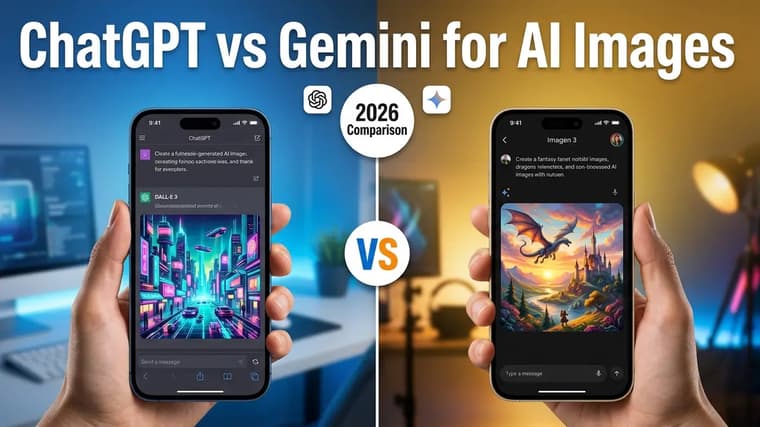
If you generate AI images regularly, you have probably bounced between ChatGPT and Gemini wondering which one you should actually commit to. The honest answer is that they are good at different things, and once you know the split, choosing becomes easy. This comparison is based on the kind of work we do every day curating prompts for the explore page — not on marketing claims from either company.
The short version
Use ChatGPT when the image starts from words: complex scenes, posters with readable text, illustrations that need to follow a long, specific brief. Use Gemini when the image starts from a photo: editing a picture of yourself, changing an outfit or background, or producing photorealistic variations where the person still has to look like the same person.
Neither tool is "better" overall. They fail in different ways, and the fastest workflow often uses both — generate a base concept in one, refine it in the other.
Where ChatGPT wins
❖Instruction-following on complex prompts
ChatGPT's image generation is unusually obedient. If your prompt says "three characters, the one on the left holds a red umbrella, the middle one faces away from the camera," it will usually get all three constraints right. Long prompts with layered requirements — composition, lighting, wardrobe, mood, and camera angle all at once — hold together better here than almost anywhere else.
This matters most for structured work: comics panels, product mockups, editorial illustrations, anything where a specific arrangement is the whole point. If you have read our breakdown of the anatomy of a perfect AI image prompt, ChatGPT is the tool that rewards writing prompts that way.
❖Text inside images
Legible, correctly spelled text in generated images used to be a lost cause. ChatGPT handles it well enough that posters, book covers, signage, and UI mockups with real words are practical. It is not perfect — long paragraphs of text still degrade — but short headlines, labels, and logos come out clean far more often than not.
❖Editing through conversation
Because generation happens inside a chat, revision is conversational. You can say "same image, but make it dusk and move the subject to the right," and it will apply the change while keeping the rest of the scene. You do not rewrite the prompt from scratch; you steer. For iterative creative work, this is a genuinely different workflow from prompt-resubmit tools, and it is why many of our ChatGPT prompts are written as a base prompt plus suggested follow-ups.
Where Gemini wins
❖Photorealistic edits of your own photos
Gemini's standout skill is taking an uploaded photo and modifying it while keeping it photographic. Change the background, swap clothing, adjust lighting, add or remove objects — the result still looks like a photo of the same scene, not a repainted illustration of it. If your work involves real photos of real people or products, this is the deciding feature. Our Gemini photo editing guide walks through the full workflow.
❖Identity preservation
When you edit a photo of a person, the hardest thing for any model is keeping the face genuinely theirs — not "a similar-looking person," but them. Gemini is currently the most reliable mainstream tool for this. It is the reason trends like AI portraits, retro saree edits, and stylized couple photos are dominated by Gemini prompts: people upload their own picture and get themselves back, restyled. This same strength makes it the go-to for professional-looking profile photos, which we cover in the AI headshots guide.
❖Speed and iteration volume
Gemini generally returns images faster, which changes how you work. When each attempt is quick, you iterate more, experiment more, and land on a good result through volume. For exploratory work — trying ten style directions before committing — the faster loop is worth a lot.
How prompting differs between them
The two tools want different prompts, and using the wrong style is the most common reason people conclude one of them "just isn't good."
❖Prompting ChatGPT
Write like a detailed creative brief. Front-load the subject, then layer in composition, lighting, style, and constraints. Be explicit about what matters; it will honor most of it. Negations phrased in plain language ("no text anywhere in the image") work reasonably well.
Editorial illustration for a technology magazine: a small paper boat made of folded circuit-board patterns sailing across a calm sea of deep blue binary code, dawn light from the left, muted teal and amber palette, generous negative space at the top for a headline, flat vector style with subtle grain, no text in the image, 16:9 aspect ratio.
❖Prompting Gemini
When editing an uploaded photo, describe the change, not the whole image. "Change the background to a rain-soaked Tokyo street at night, keep my face, pose, and glasses exactly the same" outperforms a long scene description, because the photo already carries most of the information. Explicitly stating what must not change ("keep the face identical") is the single highest-leverage habit for Gemini editing prompts. Browse our Gemini prompts and you will notice almost all of them include a preservation clause like this.
Keep Gemini edits simple
When a Gemini edit drifts too far from the original photo, shorten your prompt. Over-describing the scene invites the model to regenerate rather than edit. State the one change you want and lock everything else with "keep everything else unchanged."
When to pick which: a practical decision list
- Poster, thumbnail, or design with readable text: ChatGPT.
- Editing a photo of yourself or a product: Gemini.
- Long, multi-constraint scene from scratch: ChatGPT.
- Stylized portrait that must still look like you: Gemini.
- Iterating on one image through back-and-forth conversation: ChatGPT.
- Trying many quick variations to find a direction: Gemini.
- Consistent character across a story or comic: ChatGPT for generation, though see the notes in our guide on how to write better AI image prompts — consistency is hard everywhere.
Expect policy refusals
Both tools apply content policies to images of real people, and Gemini in particular can refuse edits it interprets as misleading or inappropriate. If a reasonable edit gets refused, rephrase to make the creative intent explicit — "a stylized retro film portrait of me" rather than instructions that sound like impersonation.
Using both together
A workflow we use constantly: draft the concept in ChatGPT because it follows the brief, then, if the result needs to feel more photographic or needs a real person composited in, move to Gemini for the edit pass. The reverse also works — take a Gemini photo edit and ask ChatGPT to build a designed layout around it. Treating them as two stages of one pipeline beats forcing either to do everything.
Split the workflow
A creator making a YouTube thumbnail: generate the background scene and bold title text in ChatGPT, then use Gemini to insert their own photographed face with matched lighting. Each tool does the part it is best at.
Frequently Asked Questions
❖Is ChatGPT or Gemini better for beginners?
Gemini is slightly easier to start with because photo editing gives instant, personal results — upload a picture, describe a change, done. ChatGPT rewards learning to write structured prompts, which takes a little longer but pays off for original scenes.
❖Can both tools generate images for free?
Both offer image generation on free tiers with usage limits that change over time, and paid plans raise those limits. Check each tool's current plan details, since caps are adjusted frequently.
❖Which is better for text in images?
ChatGPT, clearly. If your image needs a readable headline, label, or logo text, start there. Gemini handles short text but is less consistent with spelling and layout.
❖Do the same prompts work in both tools?
Mostly, but not optimally. A detailed brief written for ChatGPT will run in Gemini, and vice versa, but you will get better results tailoring the style: full scene descriptions for ChatGPT, short change-focused instructions for Gemini photo edits.