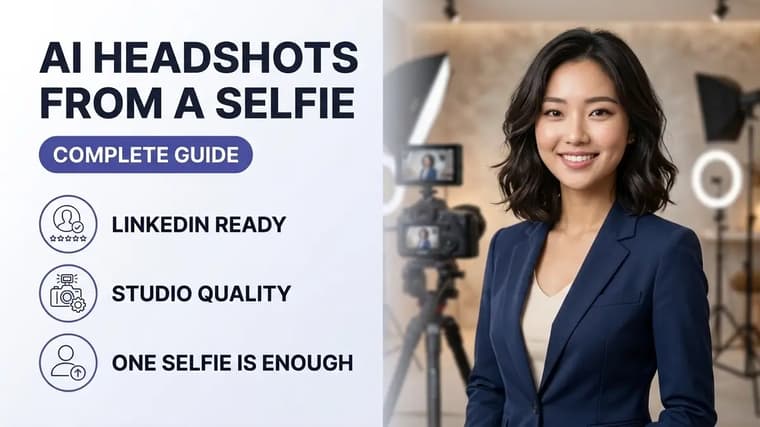
A professional headshot session costs real money and half a day of your time. With ChatGPT or Gemini, a decent selfie taken by a window can become a clean, business-ready headshot in about ten minutes — if you feed the model the right source photo and prompt it precisely. This guide covers the whole pipeline: picking the selfie, writing the prompt, catching the telltale AI artifacts, and using the result honestly.
Step 1: Choose a Source Selfie the AI Can Work With
The single biggest factor in headshot quality is not the prompt — it is the input photo. The AI needs to clearly see your actual face to preserve it, so audit your candidate selfie against this checklist:
- Lighting: soft, even light on your face. Stand facing a window in daytime. Avoid harsh overhead light (raccoon-eye shadows) and strong backlight (your face becomes a silhouette the AI will partly invent).
- Angle: camera at eye level or very slightly above, face turned no more than about 20 degrees from straight-on. Extreme low angles distort jawlines, and the AI faithfully preserves that distortion.
- Resolution: use the original full-size photo, not a screenshot or a version compressed by a messaging app. Your face should occupy a large share of the frame.
- Sharpness: eyes in crisp focus. Zoom in and check before uploading.
- Expression: a natural, relaxed expression close to what you want in the final image. AI can adjust clothing and backgrounds convincingly; rewriting your expression tends to drift your identity.
- No heavy filters: beauty filters have already altered your face, and the AI will compound the alteration.
Use a fresh selfie
Take a fresh selfie rather than digging through your camera roll. Two minutes by a window with a clean lens beats twenty minutes of scrolling for an old photo that is almost good enough.
Step 2: Decide the Look Before You Prompt
Vague requests like "make this professional" push the model toward a generic corporate template. Decide three things up front:
Attire. Common safe choices: a navy or charcoal blazer over a plain shirt, a solid crew-neck knit for a softer tech look, or a plain button-down. Solid colors survive AI generation far better than patterns, which tend to smear or repeat unnaturally.
Backdrop. The current standards are: a soft neutral studio background (light gray or warm beige with a gentle gradient), a blurred modern office with depth of field, or a muted outdoor setting with soft bokeh. Neutral studio is the most reliable and the least likely to produce weird background artifacts.
Framing. Head-and-shoulders, subject slightly off-center, eyes about a third from the top of the frame. Saying this in the prompt prevents awkward centered passport-style crops.
Step 3: The Worked Prompt
Upload your selfie, then use a prompt that does three jobs: locks your identity, specifies the professional changes, and defines the photographic style.
Using this photo of me, create a professional corporate headshot. Critical: keep my face, facial structure, skin tone, eye color, hairstyle, and overall likeness exactly identical to the photo — this must be clearly recognizable as the same person, with no beautification, slimming, or changes to my features. Change my clothing to a well-fitted charcoal blazer over a plain white shirt. Replace the background with a softly lit light-gray studio backdrop with a subtle gradient and gentle depth of field. Lighting: soft key light from the front-left, natural skin texture with visible pores, no airbrushed or plastic look. Framing: head and shoulders, positioned slightly off-center, eyes about one third from the top, looking at the camera with a confident, approachable expression matching the original photo. Style: realistic professional photography, 85mm portrait lens look, sharp focus on the eyes.
Swap the blazer, backdrop, and expression lines to taste. The identity-lock sentence and the "natural skin texture" instruction should stay in every variation — they are doing the heavy lifting.
One strong reference
One strong reference photo usually beats five mediocre ones. If your tool supports multiple reference images, add a second selfie from a slightly different angle only if both are sharp and recent. For the fuller technique, see reference images vs text prompts.
Step 4: Inspect for the Classic AI Artifacts
Generate, then zoom in and audit. These are the failures that give AI headshots away, roughly in order of frequency:
- Plastic skin. Poreless, waxy, uniformly smooth skin is the number one tell. Fix: regenerate with "keep realistic skin texture with visible pores and fine lines; do not smooth or retouch the skin."
- Wrong eyes. Slightly changed eye color, mismatched catchlights, or a subtly vacant gaze. Fix: "match my exact eye color and shape from the original photo; natural catchlights in both eyes."
- Teeth and smile drift. Suspiciously perfect veneer-white teeth or a smile you never make. Fix: reference the original expression explicitly, or choose a closed-mouth smile.
- Hairline rewrites. Cleaned-up edges that do not match your real hairline. Fix: "preserve my exact hairline and hair texture, including flyaways."
- Ear and jewelry glitches. Earrings that differ between ears, warped ear shapes. Fix: remove jewelry from the equation by asking for none, or specify it precisely.
- Blazer physics. Collars that merge into the neck, buttons in impossible places. Usually fixed by a simple regenerate.
Check the likeness
Show the result to someone who knows you well before publishing it. You are the worst judge of your own likeness — you see yourself in mirrors and selfies, not as others see you. If a friend hesitates before saying "yes, that is you," iterate again.
Run two or three generations even when the first looks fine. Small identity drift compounds across edits, so if a follow-up correction goes sideways, restart from the original selfie rather than editing the edit. Our guide on consistent characters in AI images explains why drift happens and how to control it.
Step 5: Final Polish and Where to Use It
Before uploading anywhere, do a last pass:
- Crop to the platform's ratio (square for LinkedIn avatars) with your eyes in the upper third.
- Check the image at thumbnail size — that is how most people will see it.
- Keep the source selfie and your final prompt saved together, so you can regenerate a matching image later for a conference bio or company page.
Real editing flow
A realistic session looks like this: selfie by a window at 9 a.m., first generation had plastic skin, second generation with the skin-texture line was good but the blazer collar glitched, third generation was publishable. Fifteen minutes end to end, three generations, zero cost.
Use AI Headshots Honestly
An AI headshot is a wardrobe and backdrop change, not a new face. The ethical line is simple: the photo should look like you on a good day, and the person who meets you on a video call should not feel misled. Do not slim your face, change your age, or alter your features — it defeats the purpose of a headshot, which is recognition. Norms around AI imagery are still evolving; our piece on AI photo trends in 2026 tracks where professional use is heading.
Ready to try it? Grab a copy-ready starting point from our ChatGPT prompts or Gemini prompts collections and adapt the attire and backdrop lines to your industry.
Frequently Asked Questions
❖Which is better for AI headshots, ChatGPT or Gemini?
Both produce publishable headshots from a good selfie. Gemini currently tends to preserve fine facial detail slightly more faithfully in photo-to-photo edits, while ChatGPT is often stronger at clean studio-style lighting. Try your selfie in both — the same prompt works in either.
❖Can I use an AI headshot on LinkedIn?
Yes. LinkedIn does not prohibit AI-enhanced profile photos. The practical rule is recognizability: if colleagues would identify you instantly from the image, you are fine. Avoid changes to your actual features.
❖Why does my AI headshot not look like me?
Almost always a source photo problem: low resolution, harsh lighting, a filtered image, or your face too small in the frame. Retake the selfie by a window, face the camera, use the original file, and restate the identity-lock sentence in your prompt.
❖How many photos do I need to upload?
One sharp, well-lit selfie is enough for current tools. Add a second angle only if it is equally sharp and recent. Many blurry photos teach the model a blurry average of you.