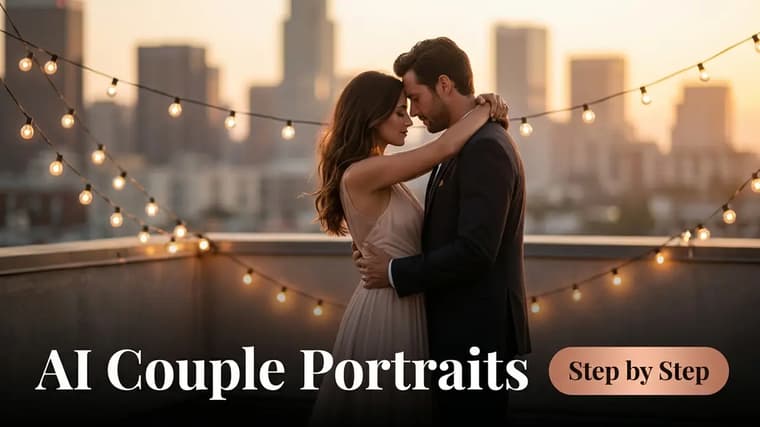
Couple portraits are one of the most rewarding things you can make with an AI image tool — and one of the trickiest. A solo portrait only has to get one face right; a couple portrait has to get two right at the same time, and models love to quietly blend them, swap features, or turn one partner into a stranger. This guide walks through the full process: picking the right source photo, phrasing the prompt so both identities survive, and choosing a style that actually flatters two people.
Step 1: Pick a Source Photo That Shows Both Faces Clearly
Everything downstream depends on the photo you upload. Editing-capable tools like ChatGPT and Gemini use your photo as the identity reference, so the model can only preserve what it can actually see.
Look for a photo where:
- Both faces are clearly visible and roughly the same size in frame. If one person is far behind the other, the smaller face gives the model less to work with and drifts first.
- Neither face is heavily shadowed, turned more than about 45 degrees away, or partially covered by hair, sunglasses, or a hand.
- The photo is sharp. A blurry screenshot of a screenshot forces the model to invent detail, and invented detail is where faces go wrong.
A casual, well-lit phone photo of the two of you facing the camera beats a dramatic candid where one person is in profile. You are choosing an identity reference, not the final composition — the prompt handles the rest. For more on why the reference photo matters so much, see reference images vs text prompts.
Take one clear photo
If you don't have one good photo of both of you, take one now. Stand by a window, hold the phone at eye level, and both look at the camera. Thirty seconds of effort here saves ten frustrating regenerations later.
Step 2: Tell the Model to Preserve BOTH Identities — Explicitly
This is the part most people get wrong. A generic line like "keep our faces the same" is too weak, because the model treats the couple as one unit and averages them. You need to address each person individually.
Two phrasings work reliably:
- Refer to them by position: "keep the face of the man on the left and the face of the woman on the right exactly as they appear in the uploaded photo — do not alter, blend, or swap any facial features between them."
- Refer to them by distinguishing features: "the taller person with glasses" and "the person with shoulder-length dark hair."
The words "do not blend or swap features between the two people" matter more than they look. Feature swapping — his nose on her face, her eye shape on his — is the single most common failure in couple edits, and naming it directly in the prompt reduces it noticeably.
Don’t describe the faces
Never describe either partner's face in the prompt text ("sharp jawline", "big brown eyes"). Written descriptions compete with the photo, and the model starts generating the description instead of preserving the person. Describe the scene, the clothing, and the light — let the photo carry the faces.
Step 3: Choose Your Style
Here are the four styles that work best for couples, with what to specify for each.
Romantic golden hour. The most forgiving style, because warm backlight flatters everyone. Ask for: golden hour sunlight, warm backlighting with lens flare, soft shallow depth of field, and a natural pose like foreheads touching or walking hand in hand.
Retro film. Ask for a specific decade and film feel: "1970s film photograph, warm faded colors, subtle grain, slightly soft focus" or "1990s point-and-shoot flash photo look." Add era-appropriate clothing and the transformation sells itself.
Traditional wedding looks. Popular for anniversaries and engagement teasers. Specify the attire precisely — "classic ivory wedding dress and black tuxedo" or "red bridal lehenga with gold embroidery and a cream sherwani" — plus a setting like a decorated mandap, a garden arch, or church steps. Detailed clothing keeps the model busy with fabric instead of faces.
Anime couple. Fully stylized, so "recognizable" replaces "identical." Ask the model to keep hairstyles, hair color, glasses, and build so friends still recognize you both. Our anime portrait guide covers this style in depth.
Step 4: Run a Complete Worked Prompt
Here is a full golden-hour prompt, ready to paste into ChatGPT or Gemini with your photo attached.
Using the uploaded photo of us as the exact reference for both faces, create a romantic golden hour portrait. Keep the face of the person on the left and the face of the person on the right exactly as they appear in the photo — same facial structure, skin tone, and expressions. Do not blend, average, or swap any facial features between the two people. Place us on a quiet beach at sunset, standing close together with foreheads gently touching. Warm golden backlight creating a soft glow around our hair, subtle lens flare, shallow depth of field with the ocean softly blurred behind us. She wears a flowing white summer dress; he wears a linen shirt with rolled sleeves. Cinematic photography style, 85mm portrait lens, warm natural color grading.
Generate, then compare each face against the original photo one at a time — cover one half of the result and check the other. It sounds fussy, but a swapped feature is easy to miss when you look at the image as a whole.
Step 5: Fix the Face That Drifted
Almost every couple edit needs one correction pass, and it is almost always one partner, not both. Follow up conversationally:
Face drift follow-up
"This is close, but the woman's face has drifted — her face is rounder and her nose is different in the original photo. Regenerate keeping her face exactly as it is in the uploaded image. The man's face and everything else in the scene are correct; keep those unchanged."
Naming which person drifted, what changed, and what to keep is far more effective than "try again." If the same face keeps failing after two or three attempts, the problem is usually the source photo — that face is smaller, softer, or more shadowed than the other. Switch to a reference photo where both faces are equally clear, or upload an additional solo photo of the person who keeps drifting.
Consent before sharing
Both people in the photo should be comfortable with the edit before you share it. That is basic courtesy with any portrait, and doubly so when clothing and setting are being changed. If you plan to post results publicly, it is worth understanding who owns AI-generated images.
Ideas Worth Trying Next
Once the identity-preservation phrasing works for you, the style is just a variable. Rainy-window cinematic scenes, vintage ballroom dance poses, a cozy winter cabin, a retro drive-in movie backdrop — the structure of the prompt stays the same and only the scene paragraph changes. Browse the explore page for couple prompts people are already using, or check the latest Gemini prompts for editing-friendly ideas built around uploaded photos.
Frequently Asked Questions
❖Why does the AI keep merging our faces into one look?
Because it treats the couple as a single subject and averages the features. Address each person separately in the prompt ("the person on the left... the person on the right...") and explicitly say not to blend or swap features between them. Equal face size and lighting in the source photo helps too.
❖Can I combine two separate solo photos into one couple portrait?
Yes — ChatGPT and Gemini both accept multiple images in one message. Upload both photos and say which person comes from which image. Expect slightly less accuracy than a real photo of you together, since the model has to invent the pose and the way you overlap.
❖Which tool is best for couple portraits?
Gemini and ChatGPT are the practical choices because they support photo uploads and conversational fixes, which couple edits almost always need. Midjourney produces beautiful couple imagery but cannot faithfully preserve two specific real faces from a photo.
❖Our result looks great but slightly "too perfect." Can I tone that down?
Yes. Add "natural skin texture, no beauty retouching, realistic photo" to the prompt, or follow up with "make the skin texture more natural and less airbrushed." Retro film styles hide this problem almost entirely, since grain and soft focus read as intentional.