
 ChatGPT
 Gemini
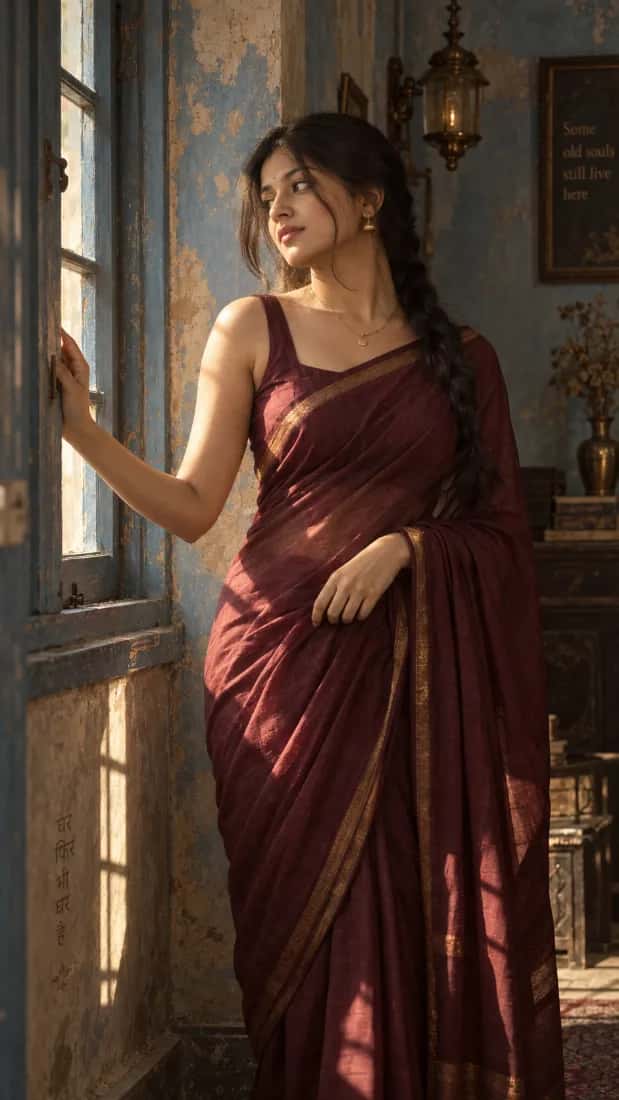
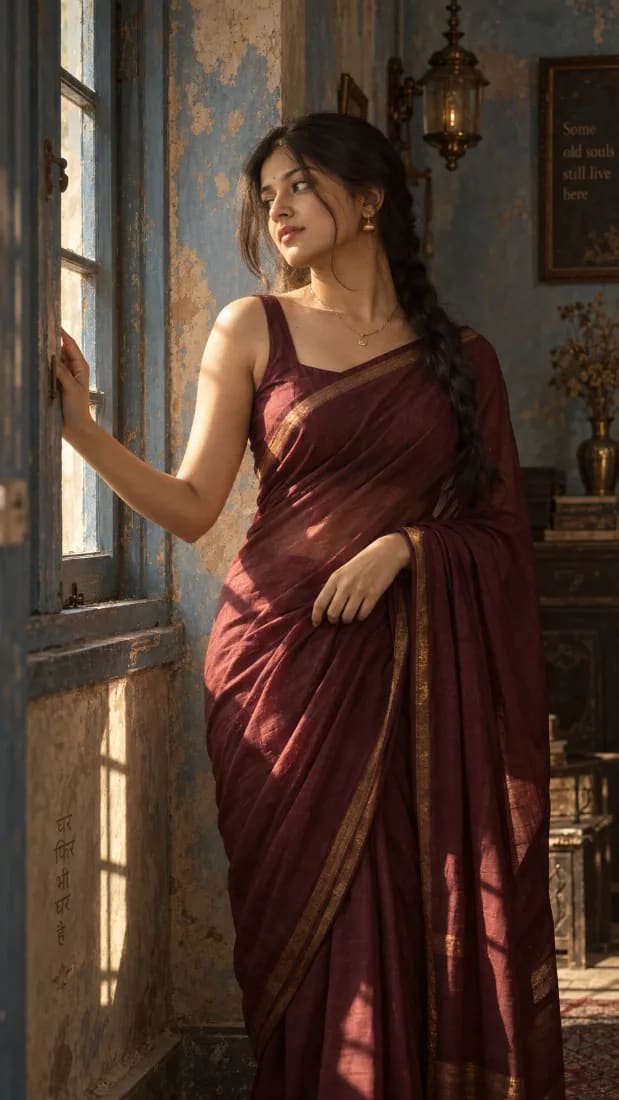
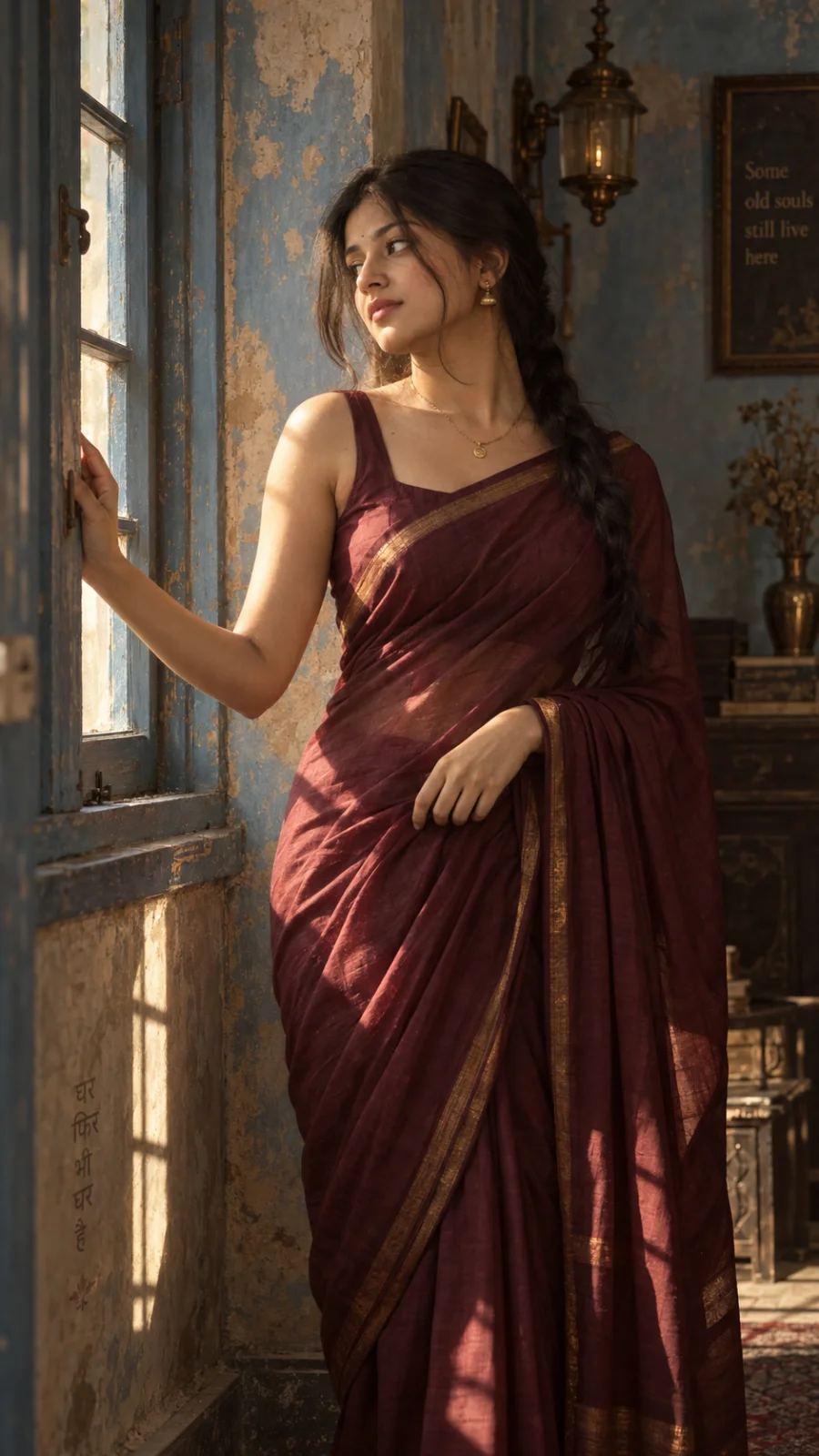
Maroon Saree Heritage Window Portrait
A warm, cinematic portrait of a woman in a maroon saree standing beside an old blue window, lit by soft afternoon sunlight.
AI PromptMatrix Editorial Team
Published on September 7, 2026
Prompt Gallery (1)
 ChatGPT
Prompt
Share
Quick workflow
How to use these prompts
Copy, customize, and generate. Keep the original prompt structure intact, then adjust only the details you want to change.
Open ChatGPT or Gemini
Use the tool or model listed with this prompt. If multiple tools are shown, choose the one you prefer.
Copy the prompt
Use the copy button on any prompt card, or copy the entire collection above.
Upload reference image
Attach your reference image first when the prompt is image-guided.
Customize details
Replace placeholders, names, colors, aspect ratio, or style notes as needed.
Paste and generate
Paste the prompt with the image, generate the artwork, then refine in small steps.
Related Prompts


Keep exploring
Browse more prompt pages with examples, model notes, and copy-ready creative workflows.
Guide
Detailed Insights
Crafting Elegance: The Maroon Saree Heritage Window Portrait
Some images just speak to you, carrying a blend of grace, tradition, and timeless beauty. The "Maroon Saree Heritage Window Portrait" prompt is a fantastic example of this, designed to generate stunning visuals that evoke a sense of history and quiet strength. It's about capturing more than just a person; it's about framing a moment, a mood, and a cultural narrative within a beautifully lit setting.
This prompt isn't just for creating pretty pictures; it's a deep dive into art direction, visual storytelling, and mastering the nuances of AI image generation. Let's break down what makes this prompt so effective and how you can get the most out of it.
❖The Art Direction Behind the Lens
The magic of the "Maroon Saree Heritage Window Portrait" lies in its specific, evocative elements. It’s a deliberate blend of subject, attire, setting, and light, each chosen to amplify the others.
- The Maroon Saree: This isn't just any color. Maroon signifies richness, depth, and often, tradition and warmth. The fabric choice, be it silk, georgette, or cotton, also plays a huge role in how light interacts with the drape and texture, adding to the image's tactile quality.
- Heritage Setting: The "heritage window" isn't merely a backdrop; it's a character. Think ornate carvings, aged stone, or traditional architectural elements. This grounding in history provides context and a sense of enduring beauty.
- Window Portrait: Placing the subject by a window immediately introduces a dynamic lighting element. Natural light, whether soft morning glow or diffused afternoon brightness, is inherently flattering and creates depth through highlights and shadows.
- Composition and Mood: The prompt aims for a portrait, meaning the focus is clearly on the individual. The overall mood leans towards serenity, elegance, and perhaps a touch of contemplative introspection.
Play with Cultural Accents
Don't be afraid to experiment with the type of heritage. Is it a Rajasthani haveli, a South Indian colonial villa, or a Punjabi ancestral home? Specific architectural details can dramatically change the feel.
❖Your Starting Point: An Example Prompt
Here's an example of a prompt that could lead to the "Maroon Saree Heritage Window Portrait" aesthetic:
Maroon Saree Heritage Window Portrait
"A striking portrait of an Indian woman in her late 20s, dressed in a regal deep maroon silk saree with subtle gold embroidery. She stands gracefully by a large, arched antique wooden window, gentle morning light filtering in, illuminating her profile and casting soft, intricate shadows on the stone wall behind her. The room is a heritage haveli interior with warm, sun-drenched sandstone walls. Her expression is serene and contemplative, eyes slightly averted. Photojournalism style, high detail, golden hour, cinematic lighting."
This prompt works because it's specific without being overly restrictive. It sets a clear scene, describes the subject's attire, specifies the lighting, and even suggests a mood and photographic style.
❖Customizing for Your Vision
The beauty of a well-structured prompt is how easily it can be adapted. Think of the example above as a springboard for your own creative explorations.
1. Color and Fabric Play
- Saree Color: Swap "deep maroon" for "emerald green," "royal blue," "fuchsia pink," or even a "classic ivory with silver zari."
- Fabric: "Silk" is a great starting point, but consider "raw silk," "chiffon," "organza," or "handloom cotton" for different textures and drapes. Each fabric reacts to light uniquely.
2. Evolving the Setting
- Window Style: Instead of "arched antique wooden window," try a "grand stained-glass window," a "jharokha window with intricate latticework," or a "simple, large colonial-era window with wooden shutters."
- Background Details: "Stone wall" is good, but what about "faded fresco," "carved pillar," "vintage bookshelf," or a "distant garden view through the window"?
- Time of Day: "Morning light" is beautiful, but "late afternoon golden hour," "diffused daylight on a cloudy day," or even "twilight with soft indoor lamp glow" can create dramatically different atmospheres.
3. Posing and Expression
- Pose: "Stands gracefully" can become "seated elegantly on a cushioned window seat," "leaning subtly against the frame," or "gazing out with a wistful look."
- Expression: "Serene and contemplative" can be changed to "a soft smile," "intense and focused," or "pensive, looking directly at the viewer."
Lock the pose with a reference
If you have a specific pose in mind, try describing it in simple terms, or even suggest adding a reference image link if the AI tool allows for it, though direct image input for posing can be tricky across models. Focus on clear action verbs instead.
❖Model-Specific Nuances
Different AI models interpret prompts with their own strengths and quirks. Knowing these can help you fine-tune your approach.
GPT Image 2's Realism
GPT Image 2 is excellent at rendering realistic textures and subtle details in clothing and skin. If you're aiming for a hyperrealistic, almost photographic quality, pay extra attention to detailing the fabric type and the interplay of light. It often excels with natural lighting cues like "soft shadows" and "sun-drenched."
Nano Banana's Artistic Flair
Both Nano Banana 2 and Nano Banana Pro can bring a beautiful, slightly painterly quality to images. They often handle color palettes and atmospheric effects with a touch more artistic interpretation. If you want a less photorealistic, more illustrative or art-house feel, this can be a great choice. Experiment with adding terms like "oil painting style" or "cinematic still" to push its artistic boundaries.
Grok Imagine's Directness
Grok Imagine tends to be quite literal with prompt instructions. Be very clear and concise with your descriptions of the saree, setting, and lighting. It's often very good at maintaining subject consistency across iterations. If you're struggling to get a specific detail, try isolating that detail in its own phrase.
Qwen-Image's Intricacy
Qwen-Image has a strong capability for intricate patterns and detailed architectural elements. If your vision includes very specific zari work on the saree or complex carvings on the window frame, Qwen-Image might render these details with impressive accuracy. It also handles diverse cultural aesthetics well.
❖Beyond the Image
The "Maroon Saree Heritage Window Portrait" prompt is more than just a set of instructions; it's an invitation to explore cultural aesthetics, masterful lighting, and the art of crafting a compelling visual story. Don't just copy the prompt; understand why it works, then use that knowledge to create your own unique masterpieces. The most stunning images often come from a blend of precise instructions and a dash of creative daring. Happy prompting!
FAQ
Frequently Asked Questions
How do I ensure my AI-generated image captures that specific 'cinematic vintage' look seen in the example, especially with a Saree?
Focus on lighting and lens descriptions within your prompt. Use terms like 'soft, diffused lighting,' 'golden hour,' 'natural window light,' 'shallow depth of field,' 'film grain,' or 'anamorphic lens flare.' For the vintage feel, add details such as 'sepia tones,' 'faded colors,' or '1960s Indian film aesthetic.' This approach works well across GPT Image 2, Nano Banana Pro, and Grok Imagine to guide the output's mood and style.
What prompt elements are crucial for accurately representing the Saree and the 'Indian heritage' aspect without stereotypes?
Be specific about the Saree's fabric, drape, and the overall context. Instead of just 'saree,' try 'rich silk maroon saree with traditional zari border' or 'handloom cotton saree, elegant drape.' For the heritage aspect, describe the setting: 'traditional Indian architecture,' 'ornate wooden window frame,' or 'ancestral home backdrop.' Mentioning 'authentic Indian details' helps guide Qwen-Image and Nano Banana 2 towards respectful and accurate representations.
If I want to change the model's pose or expression, or even a different girl, while keeping this distinct 'Maroon Saree Heritage Window Portrait' style, what's the best way?
Keep your core stylistic and setting descriptors firm in your prompt: 'cinematic portrait, heritage window, soft light, vintage feel.' Then, just adjust the subject's actions or description. For example, 'woman looking thoughtfully out the window,' 'girl smiling gently, holding a book,' or 'profile shot of a young woman in a saree, silhouetted against a sunlit archway.' GPT Image 2 and Grok Imagine are particularly good at maintaining a consistent aesthetic while allowing for nuanced subject variations.