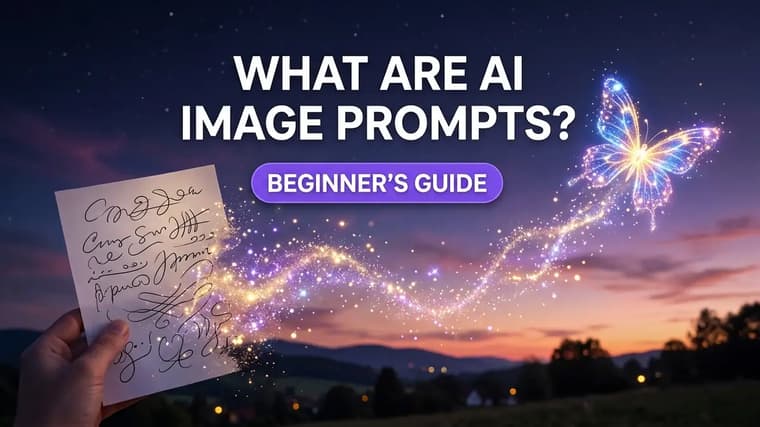
An AI image prompt is the text you type to tell an image generator what to create. It sounds simple — and at its core, it is — but the difference between a vague sentence and a well-built prompt is the difference between a forgettable image and one you would actually use. This guide covers what prompts are, how they work, and how to write your first good one.
What Exactly Is an Image Prompt?
A prompt is a written description of the image you want. It can be as short as "a red fox in the snow" or as detailed as a full paragraph covering the subject, the setting, the lighting, the camera angle, and the artistic style. Tools like ChatGPT, Gemini, Midjourney, Grok, and Qwen Image all take a prompt as their main input and return one or more images that match it.
Think of a prompt less like a search query and more like a creative brief. A search query finds something that already exists. A prompt describes something that doesn't exist yet, and the model builds it from scratch based on your words. Every word you include (and every word you leave out) shapes the result.
How Text Becomes an Image
You don't need to understand the math to write good prompts, but a rough mental model helps. Modern image generators are trained on enormous collections of images paired with descriptions. During training, the model learns which visual patterns tend to go with which words — what "golden hour" looks like, how "watercolor" differs from "oil painting", what a "low angle shot" does to a subject.
When you submit a prompt, the model starts from visual noise and refines it step by step, steering toward an image that matches your description. Words with strong, consistent visual meanings — "silhouette", "macro photography", "neon" — steer hard. Vague words like "nice" or "cool" barely steer at all, because they were attached to millions of wildly different images during training. If you want the deeper explanation, read how AI image generators work.
Prompt vs. Instruction: An Important Distinction
Beginners often mix up two different things you can type into an AI tool:
- A prompt describes an image: "a lighthouse on a cliff at dusk, long exposure, dramatic clouds."
- An instruction tells a chat assistant what to do: "make the sky more orange" or "generate three variations of this."
In conversational tools like ChatGPT and Gemini, you can blend both — describe the image, then follow up with instructions to refine it. In tools like Midjourney, the prompt itself does almost all the work, and refinement happens through parameters and re-rolls. Knowing which mode your tool operates in changes how you write. Our ChatGPT image generation guide walks through the conversational approach in detail.
Weak vs. Strong Prompts: Real Examples
The fastest way to understand prompt quality is to compare pairs.
Weak vs strong subject
Weak: "a dog"
Strong: "a golden retriever puppy sitting in tall grass at sunset, backlit by warm golden light, shallow depth of field, shot on an 85mm lens"
The weak version leaves everything to chance — breed, setting, light, framing. The strong version makes five specific decisions, so the model doesn't have to guess.
Weak vs strong scene
Weak: "a futuristic city, high quality, amazing, 4k, beautiful"
Strong: "aerial view of a futuristic city at night, dense neon-lit towers connected by glass skybridges, light rain, reflections on wet streets, cinematic wide shot"
Stacking praise words like "amazing" and "beautiful" adds almost nothing. Concrete visual details — neon, rain, reflections, an aerial viewpoint — do the real work.
Notice the pattern: strong prompts are specific about things you can see. They name the subject precisely, place it somewhere, describe the light, and often mention a camera or style choice.
A cozy corner cafe on a rainy evening, warm light spilling through fogged windows onto wet cobblestones, a bicycle leaning against the wall outside, soft bokeh from street lamps in the background, moody cinematic photography, 35mm lens
Copy that prompt into any major generator and you'll get a usable image on the first try, because every phrase in it points at something visual.
Where to Find Good Prompts
Writing from a blank page is the hardest way to learn. The faster path is studying prompts that already produce great results, then adapting them. That's exactly what our explore page is for — every post shows the finished image next to the exact prompt that made it, with a copy button.
A few practical ways to use a prompt library:
- Copy, then swap the subject. Take a working portrait prompt and replace the person with your own subject. The lighting and style language keeps working.
- Study prompts per tool. The same idea is phrased differently for different generators. Browse ChatGPT prompts and Gemini prompts side by side and you'll notice ChatGPT prompts often read like natural instructions while Midjourney prompts lean on compact descriptive phrases.
- Collect phrases, not just whole prompts. When a prompt nails a look you love, save the specific phrase responsible — "volumetric fog", "editorial studio lighting", "risograph print style" — and reuse it in your own work.
Change one thing
When you copy a prompt, change exactly one thing at a time — the subject, then the lighting, then the style. You'll learn what each phrase actually does far faster than by rewriting everything at once.
How to Start Writing Your Own
Here's a simple starter formula that works in every major tool:
Subject + detail + setting + lighting + style.
For example: "an elderly fisherman (subject) with a weathered face and yellow raincoat (detail) standing on a misty dock at dawn (setting), soft diffused morning light (lighting), documentary photography style (style)."
Start with those five slots and fill each one deliberately. You don't need long prompts — you need complete ones. A 25-word prompt that covers all five slots beats a 60-word prompt that repeats "highly detailed" three times.
Fix one slot
Don't fight a bad image by piling more words onto the same prompt. If the result is off, identify which slot failed — wrong subject, wrong light, wrong style — and fix that one phrase. More words without more decisions just adds noise.
When you're ready to go deeper, learn what each part of a prompt contributes in the anatomy of a perfect AI image prompt, and see how to use prompts from PromptMatrix for a hands-on walkthrough.
Frequently Asked Questions
❖Do I need to know art or photography terms to write prompts?
No, but a small vocabulary helps enormously. Learning ten terms — golden hour, backlit, shallow depth of field, wide shot, macro, silhouette, watercolor, cinematic, overhead view, soft light — will improve your results more than anything else you can do in an afternoon.
❖Are longer prompts always better?
No. Prompts improve with specificity, not length. A short prompt that makes clear decisions about subject, setting, lighting, and style outperforms a long one stuffed with filler adjectives.
❖Can I use the same prompt in ChatGPT, Gemini, and Midjourney?
Mostly, yes. The core description transfers well between tools. Each tool has its own strengths and quirks though, so expect to make small adjustments — conversational tools respond well to natural sentences, while Midjourney favors compact comma-separated phrases.
❖Why does the same prompt give me different images each time?
Generation starts from random noise, so every run takes a slightly different path to satisfying your description. That's normal and useful — generate a few variations and pick the best one rather than expecting a single perfect output.