
AI PromptMatrixAI PromptMatrix
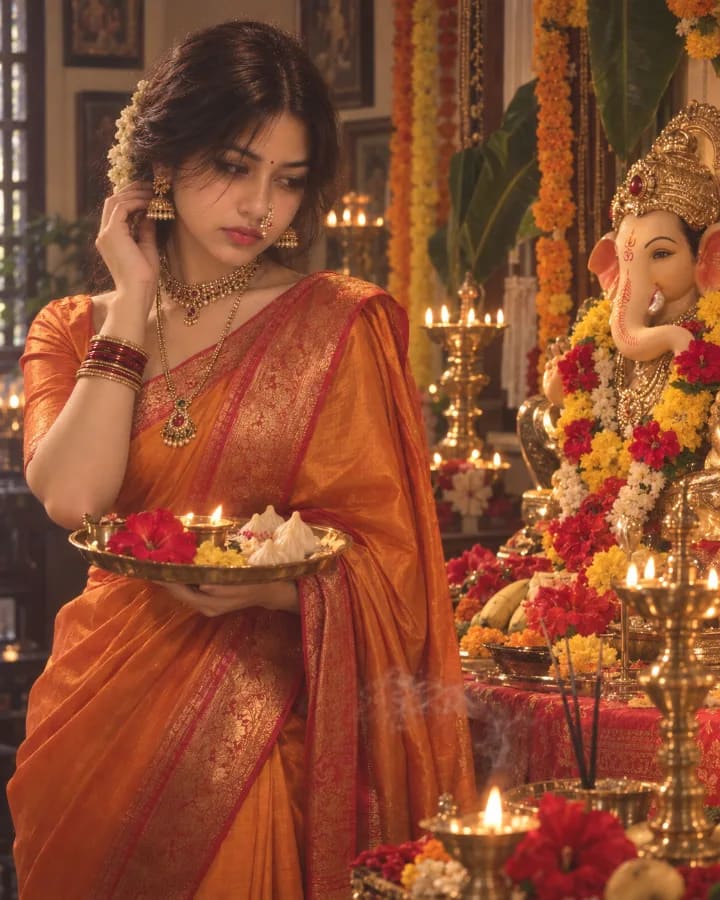
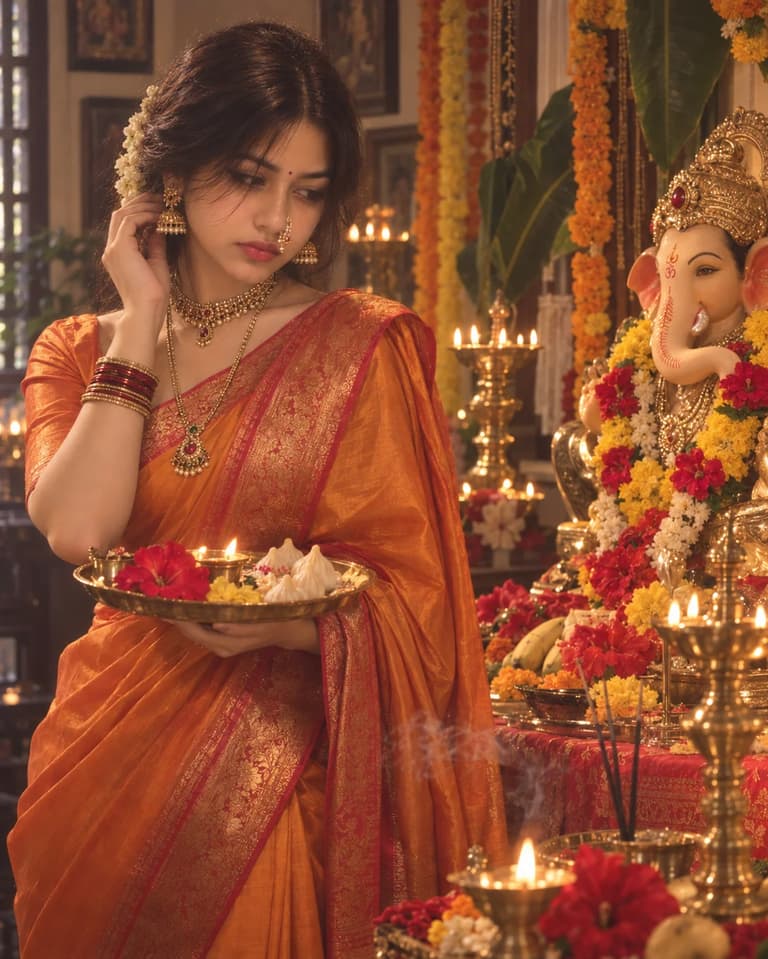
Ganesh Chaturthi Pooja Portrait
ChatGPT logoChatGPTGemini logoGemini

Ganesh Chaturthi Pooja Portrait

Create a cinematic Ganesh Chaturthi portrait with ChatGPT, featuring an orange silk saree, traditional jewelry, diyas, flowers and a decorated Ganesha idol.
P
Published byAI PromptMatrix Editorial Team
Ganesh Chaturthi Pooja Portrait — ChatGPT prompt 1
ChatGPT logoChatGPT
PROMPT #1

Prompt

Create a professional cinematic Ganesh Chaturthi portrait of a young Indian woman standing beside a beautifully decorated Lord Ganesha idol inside a dreamy modern Indian home shrine. She wears a luxurious ivory and blush-pink silk saree with a graceful contemporary drape, delicate gold jewelry, pearl earrings, a fine maang tikka, soft jasmine flowers in her hair, and natural glowing makeup with defined kajal and muted rose lipstick. She stands slightly sideways beside the पूजा altar, holding a small brass diya close to her chest with both hands. Her head is gently tilted toward the Ganesha idol, and her eyes are lowered with a peaceful, emotional devotional expression. The saree pallu falls softly over her arm and moves gently in the air. The Lord Ganesha idol is decorated with white lotus flowers, pale pink roses, subtle gold ornaments, fresh green leaves, and delicate cream-colored fabric. Surround the altar with glowing diyas, scattered flower petals, a minimal rangoli design, incense smoke, and small brass पूजा elements. The room has soft cream walls, sheer curtains, warm sunlight entering through a large window, and a calm luxurious atmosphere. Add a dreamy haze around the idol, gentle golden highlights, soft shadows, natural reflections, and delicate floating dust particles. Use ivory, blush pink, champagne gold, cream, and muted green tones. Professional devotional fashion photography, cinematic composition, soft diffused natural lighting, dreamy atmosphere, shallow depth of field, realistic skin texture, detailed silk fabric, elegant Indian festive styling, emotional peaceful mood, high-end editorial photography, vertical 4:5 aspect ratio.

Model: GPT Image 2

Share

Quick workflow

How to use these prompts

Copy, customize, and generate. Keep the original prompt structure intact, then adjust only the details you want to change.

01

Open ChatGPT or Gemini

Use the tool or model listed with this prompt. If multiple tools are shown, choose the one you prefer.

02

Copy the prompt

Use the copy button on any prompt card, or copy the entire collection above.

03

Upload reference image

Attach your reference image first when the prompt is image-guided.

04

Customize details

Replace placeholders, names, colors, aspect ratio, or style notes as needed.

05

Paste and generate

Paste the prompt with the image, generate the artwork, then refine in small steps.

Explore More Prompts

Browse our curated library of tested AI image prompts or filter by your favorite tool.